In 2026, LinkedIn advertising campaigns aren’t optional for B2B marketers—they’re the primary channel for reaching decision-makers where they’re already thinking about business growth, vendor partnerships, and career advancement. While other platforms fight for attention with entertainment and personal content, LinkedIn delivers your message to professionals actively researching solutions, evaluating vendors, and making purchase decisions.
This comprehensive guide covers everything you need to master LinkedIn advertising strategy in 2026: campaign objectives, targeting precision, bidding approaches, creative best practices, and 15 proven campaign blueprints you can deploy immediately. Whether you’re optimizing LinkedIn ad retargeting or building your first LinkedIn ads strategy, this playbook shows you how to turn professional attention into measurable pipeline growth.
What LinkedIn Advertising Campaigns Mean in 2026
A LinkedIn advertising campaign is a structured set of ads designed to reach specific professional audiences based on job title, industry, company size, seniority, skills, and behavior—all through LinkedIn’s Campaign Manager platform. Unlike consumer-focused platforms, LinkedIn advertising connects you with professionals who are actively engaged in business decision-making contexts.
In 2026, the platform has evolved significantly with AI-powered campaign modes (Accelerate vs. Classic), enhanced video capabilities, sophisticated retargeting options, and improved conversion tracking. The key advantage remains LinkedIn’s first-party professional data—self-reported job information that enables precision targeting impossible on other platforms.
- Clear objective: Awareness, consideration, or conversion—each dictates format, bidding, and targeting approach.
- Precision targeting: Job title + company + behavior signals to reach decision-makers at the right moment.
- Compelling creative: Professional yet human content that addresses specific business challenges.
The best LinkedIn ads strategy combines awareness campaigns to build familiarity with retargeting campaigns to convert engaged audiences. This full-funnel approach ensures you’re not just generating impressions—you’re building pipeline that closes.
Why LinkedIn Advertising Campaigns Work for B2B Marketing
LinkedIn isn’t just another advertising channel—it’s where 930+ million professionals go to research vendors, evaluate solutions, network with peers, and advance their careers. This professional intent makes LinkedIn uniquely powerful for B2B advertisers who need to reach decision-makers in a business mindset.
Unlike search platforms where you’re competing for generic keywords, or social platforms where you’re interrupting personal time, LinkedIn advertising places your message alongside industry news, professional development content, and business discussions. Your audience is already thinking about business challenges, making them more receptive to relevant solutions.
- Professional targeting: Reach CFOs, VPs, Directors by actual job title—not inferred intent.
- Business context: Your ads appear when people are researching vendors and evaluating solutions.
- Lower CPL: LinkedIn’s cost-per-lead is 28% lower than Google Ads for B2B campaigns.
- Account-based marketing: Target specific companies, upload contact lists, retarget website visitors.
The platform’s professional environment also creates higher engagement quality. When someone downloads your whitepaper or books a demo through LinkedIn, they’re typically more qualified than leads from consumer-focused platforms—because they’re engaging in a professional capacity, using verified work profiles.
Key LinkedIn Advertising Statistics for 2026
Campaign Objectives & Ad Formats in Bidding Strategy in Linkedin Advertising Campaigns: The Foundation of Your Strategy
Every LinkedIn advertising campaign starts with a clear objective that determines available ad formats, bidding options, and optimization approach. LinkedIn organizes objectives into three categories: awareness, consideration, and conversions—each serving a distinct role in your funnel.
Campaign Objectives Explained
| Objective | Goal | Best ad formats |
|---|---|---|
| Brand Awareness | Maximum impressions to target audience | Video Ads, Sponsored Content |
| Website Visits | Drive qualified traffic to landing pages | Single Image, Carousel, Video |
| Engagement | Likes, comments, shares, follows | Sponsored Content, Document Ads |
| Video Views | Build awareness through video consumption | Video Ads |
| Lead Generation | Collect leads via pre-filled forms | Lead Gen Forms, Message Ads |
| Website Conversions | Drive specific actions (demo, purchase, signup) | All formats with conversion tracking |
Key Ad Formats for 2026
Sponsored Content (Single Image): The workhorse format—appears natively in feed, supports all objectives, quick to produce, and highly versatile for testing.
Video Ads: Ideal for storytelling, product demos, testimonials, and thought leadership. Video views on LinkedIn grew 36% year-over-year, making this format essential for awareness and engagement.
Carousel Ads: Perfect for showcasing multiple features, case studies, or product benefits in a swipeable format that drives higher engagement.
Lead Gen Forms: Pre-filled forms that reduce friction by auto-populating with LinkedIn profile data—typically delivers 3-5x higher conversion rates than landing pages.
Message Ads: Direct InMail delivered to target audience—highly personalized, great for event invites, webinar registrations, and high-value offers.
Document Ads: Native PDF viewer in feed—excellent for sharing whitepapers, case studies, and research reports without requiring site visits.
Linkedin Advertising Campaigns Strategy: Precision Targeting That Drives Results
Targeting is where LinkedIn advertising truly separates itself from other platforms. With access to self-reported professional data, you can build audiences based on actual job titles, verified company information, and real skills—not algorithmic guesses. Effective LinkedIn audience management combines demographic precision with behavioral signals to reach decision-makers at exactly the right moment in their buying journey.
Core Targeting Dimensions
- Job Title: Target “VP Marketing,” “CFO,” “Director of Sales”—precision beats broad titles.
- Job Function & Seniority: Reach senior executives, directors, or managers within specific functions.
- Company Size: Filter by employee count (1-10, 11-50, 51-200, 201-500, 501-1000, 1000+).
- Industry: 150+ industry categories from Financial Services to SaaS to Manufacturing.
- Company Name: Account-based marketing—target specific companies by uploading lists.
- Skills & Interests: Target professionals with specific technical skills or content interests.
Funnel-Based Targeting Strategy
The most effective LinkedIn ads strategy aligns targeting with funnel stage. Here’s how to structure campaigns for maximum efficiency:
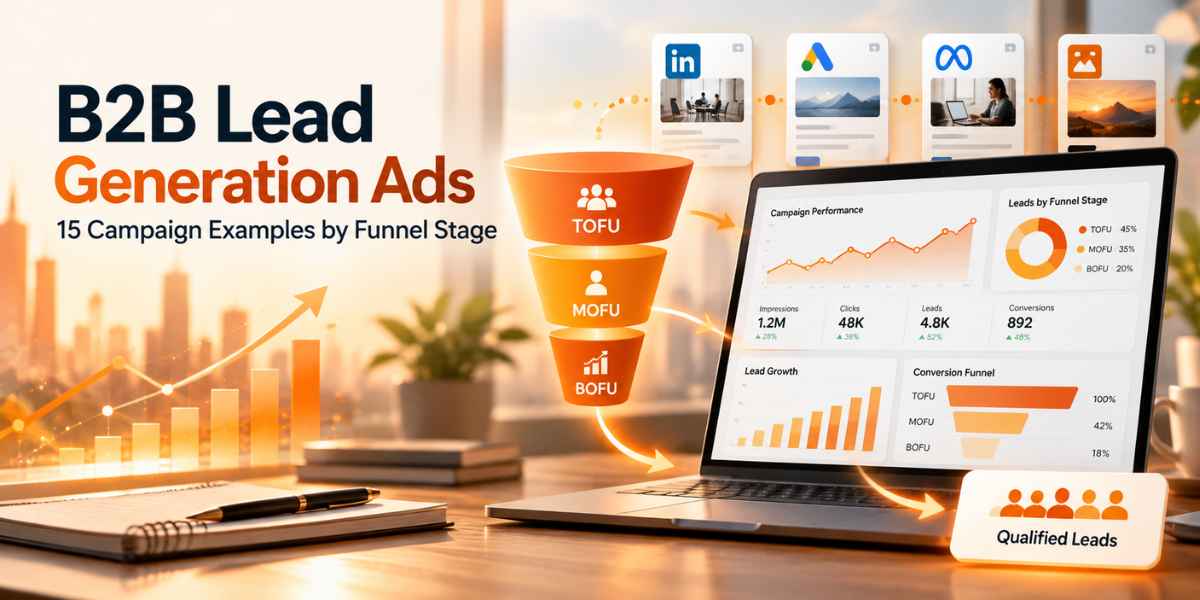
Top of Funnel (Awareness): Broad targeting with 50,000-300,000 audience size. Focus on industry + job function + seniority. Use educational content that addresses pain points without pushing product.
Middle of Funnel (Consideration): Retarget website visitors, video viewers, content engagers. Narrow targeting to 10,000-50,000. Showcase case studies, product features, customer testimonials.
Bottom of Funnel (Conversion): Hyper-targeted campaigns under 10,000 audience size. Use contact list uploads, account targeting, high-intent retargeting audiences. Push demos, trials, consultations.
Advanced targeting becomes even more powerful when combined with exclusions—exclude job titles like “student” or “intern,” companies you already work with, or people who’ve already converted. This precision ensures budget flows only to qualified prospects.
Bidding Strategy in Linkedin Advertising Campaigns: Control Costs, Maximize Results

Your LinkedIn bidding strategy directly impacts campaign performance and cost efficiency. LinkedIn offers three primary bidding approaches, each suited to different campaign goals and sophistication levels. Understanding when to use each bidding type is crucial for optimizing your LinkedIn advertising strategy.
Three Bidding Strategies Explained
Maximum Delivery (Automated): LinkedIn automatically sets bids to spend your entire budget while maximizing results. Best for brand awareness campaigns where volume matters more than precise cost control. LinkedIn optimizes to get maximum impressions or clicks within your budget.
Cost Cap (Target Cost): You set a target cost per result (click, lead, conversion) and LinkedIn adjusts bids to stay near that target while maximizing volume. Ideal for scaling campaigns with predictable CPL/CPC requirements. Provides balance between control and automation.
Manual Bidding: You control exact bid amounts in the auction. Best for experienced advertisers who want full control, especially in competitive segments. Requires active management but can deliver significant cost savings—many advertisers start at 30-40% below LinkedIn’s suggested bid range without losing delivery.
Bidding Strategy by Campaign Stage
| Campaign Type | Recommended Strategy | Why |
|---|---|---|
| New cold audiences | Maximum Delivery or Cost Cap | Build learning data while controlling costs |
| Awareness campaigns | Maximum Delivery | Maximize reach to build remarketing pools |
| Retargeting warm audiences | Manual or Cost Cap | Lower competition enables cost optimization |
| Lead generation | Cost Cap | Maintain predictable cost-per-lead |
| Competitive segments | Manual at upper bid range | Win auctions for high-value audiences |
- Start conservative: Begin manual bids 30-40% below suggested range, monitor delivery for 48 hours.
- Adjust by performance: If impressions are low, increase bid 10-15%. If CTR is strong, test lowering bid.
- Day-part bidding: Increase bids during business hours (9am-5pm local time) when professionals are active.
- Monitor auction insights: Check Campaign Manager’s bid guidance weekly as competition changes.
Remember that LinkedIn charges you $0.01 more than the next highest bidder—so if your competitor bids $5.00 and you bid $6.00, you’ll only pay $5.01. This second-price auction model rewards strategic bidding over simply outspending competition.
LinkedIn Website Retargeting: Convert Warm Audiences at Scale
LinkedIn website retargeting is where campaigns become truly profitable. By reconnecting with professionals who’ve already visited your website, engaged with content, or watched your videos, you’re reaching an audience that’s exponentially more likely to convert.
Setting Up Website Retargeting (LinkedIn Insight Tag)
Step 1: Install LinkedIn Insight Tag
Access Campaign Manager → Account Assets → Insight Tag. Install the tag sitewide (or via Google Tag Manager). The tag tracks all page visits, button clicks, and form submissions automatically.
Step 2: Create Website Audience
Campaign Manager → Audiences → Create Audience → Website. Choose specific URL rules: equals (exact match), starts with (dynamic URLs), or contains (URL parameters). Set lookback window: 30, 60, 90, 180, or 365 days.
Step 3: Build Segment Logic
Target visitors who viewed specific pages (pricing, features, case studies). Exclude converters to avoid wasted budget. Segment by engagement depth—homepage visitors vs. demo request viewers.
Step 4: Launch Retargeting Campaign
Your audience needs 300+ matched members to activate. Build campaigns targeting these warm audiences with conversion-focused messages, social proof, and strong CTAs.
Retargeting Audience Types & Use Cases
- Pricing page visitors: High intent—push demo booking or trial signup with urgency.
- Video viewers (75%+ completion): Engaged audience—share customer stories and case studies.
- Lead Gen Form openers (non-submitters): Interested but hesitant—address objections with testimonials.
- Blog readers: Education-focused—nurture with additional content and thought leadership.
- Homepage visitors (excluding converters): General awareness—strengthen value proposition and differentiation.
Beyond website retargeting, LinkedIn offers engagement-based retargeting: video ad viewers, Lead Gen Form interactions, single image ad engagement, document ad downloads, and company page visitors. These audience pools are automatically created as you run campaigns—making it easy to build sophisticated retargeting funnels.
Best practice: layer website audiences with professional attributes for precision. For example, retarget pricing page visitors who are also VPs at companies with 500+ employees. This combination of behavioral + demographic targeting drives exceptional conversion rates while maintaining relevance.
15 LinkedIn Advertising Campaign Examples You Can Deploy Today
Below are 15 proven LinkedIn advertising campaign blueprints designed for different objectives, funnel stages, and B2B scenarios. Each includes targeting approach, creative format, messaging angle, and optimization strategy you can implement immediately.
1) Thought Leadership Authority Campaign (Awareness)
Format: Video Ads (60-90s) featuring CEO/founder discussing industry trends
Targeting: Broad—industry + job function + seniority (50,000-150,000 audience)
Angle: “Here’s what nobody tells you about [industry challenge]”
CTA: Watch full video, follow company page
Budget: $150/day, Maximum Delivery bidding
Goal: Build video viewer audiences for retargeting while establishing expertise
2) Educational Content Amplification (Top of Funnel)
Format: Sponsored Content—Single Image with insights/statistics
Targeting: Job title + company size + industry (80,000-200,000 audience)
Angle: “5 [Role]-approved strategies for [outcome]” with actionable tips
CTA: Download full guide, save post
Budget: $100/day, Cost Cap at $4 CPC
Goal: Generate engagement, build remarketing pools, establish authority
3) Industry Benchmark Report Campaign (Lead Generation)
Format: Document Ads with PDF preview + Lead Gen Form
Targeting: Decision-makers (VP, Director, C-level) in target industries
Angle: “2026 [Industry] Benchmark Report: See how you compare”
CTA: Download report (pre-filled form)
Budget: $120/day, Cost Cap at $50 CPL
Goal: Generate qualified leads with high-value content asset
4) Product Demo Showcase (Consideration)
Format: Video Ads (2-3 minutes) walking through product in action
Targeting: In-market signals + job function + company size (30,000-80,000)
Angle: “See how [Company] cut [metric] by 40% in 60 days”
CTA: Watch full demo, book live walkthrough
Budget: $100/day, Maximum Delivery
Goal: Build qualified 75%+ video viewer audiences for conversion campaigns
5) Customer Success Story Series (Social Proof)
Format: Carousel Ads showing before/after + customer quotes
Targeting: Similar companies to success story featured (20,000-60,000)
Angle: “How [Customer] achieved [specific outcome]—full case study”
CTA: Read case study
Budget: $80/day, Manual bidding
Goal: Drive case study page traffic, build proof-based retargeting audience
6) Webinar Registration Push (Event Marketing)
Format: Message Ads (personalized InMail) + Sponsored Content
Targeting: Job titles relevant to webinar topic (15,000-40,000)
Angle: “Join [Expert] for exclusive live training on [topic]”
CTA: Register now (Lead Gen Form)
Budget: $150/day split 60/40 Message/Sponsored, Cost Cap $30 CPL
Goal: Fill webinar seats with qualified attendees
7) Competitive Displacement Campaign (Direct Response)
Format: Single Image Ads with comparison angle
Targeting: Job titles at companies using competitor (via skills, groups, following)
Angle: “Switching from [Competitor]? See why [X companies] chose us”
CTA: Book comparison call
Budget: $100/day, Manual bidding aggressive
Goal: Win customers from named competitors with direct comparison
8) Account-Based Marketing (ABM) Precision Campaign
Format: Sponsored Content with personalized messaging per account
Targeting: Contact list upload—specific decision-makers at target accounts
Angle: Industry-specific pain point addressing their exact challenges
CTA: See how we help [their industry]
Budget: $60/day per account cluster, Manual bidding
Goal: Multi-touch awareness for key accounts in sales pipeline
9) Free Tool/Calculator Lead Magnet (Value-First)
Format: Carousel Ads showing tool interface + results example
Targeting: Job function + seniority (40,000-100,000 audience)
Angle: “Free [ROI Calculator/Assessment Tool]—get results in 2 minutes”
CTA: Try it now (Lead Gen Form with instant tool access)
Budget: $120/day, Cost Cap $35 CPL
Goal: High-volume lead generation with immediate value delivery
10) Website Visitor Retargeting (Conversion Focused)
Format: Single Image Ads with strong social proof (reviews, logos)
Targeting: Website visitors (last 30 days) excluding converters
Angle: “Still deciding? Join [X companies] already seeing results”
CTA: Book demo, start trial
Budget: $80/day, Manual bidding conservative
Goal: Convert warm traffic into qualified opportunities
11) Video Engagement Retargeting (Nurture Sequence)
Format: Carousel Ads with deeper product education
Targeting: 75%+ video viewers from awareness campaign
Angle: “Loved the video? Here’s how [feature] actually works”
CTA: See full features
Budget: $60/day, Cost Cap $3 CPC
Goal: Move engaged video audience deeper into funnel
12) Seasonal Campaign (Q4 Budget, Year-End Planning)
Format: Document Ads—Q1 Planning Guide
Targeting: Decision-makers + budget authority signals (30,000-80,000)
Angle: “Plan your 2026 [category] strategy—download free roadmap”
CTA: Download 2026 planning kit
Budget: $150/day (Q4 surge), Cost Cap $45 CPL
Goal: Capture planning-stage leads before budgets freeze
13) Lead Gen Form Abandoners Retargeting (Re-Engagement)
Format: Single Image Ads addressing objections
Targeting: Opened Lead Gen Form but didn’t submit (last 14 days)
Angle: “What’s holding you back? Get answers in 15 minutes”
CTA: Book quick call
Budget: $50/day, Manual bidding
Goal: Convert high-intent prospects who hesitated
14) Partnership/Integration Announcement (Co-Marketing)
Format: Video Ads featuring both companies
Targeting: Combined audiences—users of both platforms
Angle: “[Your Product] + [Partner] = Complete solution for [use case]”
CTA: Learn about integration
Budget: $100/day split with partner, Maximum Delivery
Goal: Amplify partnership, reach expanded audience
15) Premium Content Series (Long-Term Authority Building)
Format: Multi-week series—Sponsored Content + Document Ads
Targeting: Industry + seniority, progressive retargeting each week
Angle: “Week 1: Framework / Week 2: Case Study / Week 3: Implementation Guide”
CTA: Week 1-2: Engage/Save. Week 3: Download complete guide
Budget: $400/week sustained, Cost Cap bidding
Goal: Build deep audience engagement, establish category authority
Measurement & Optimization in Linkedin Advertising Campaigns: Track What Matters, Improve What Works

Effective measurement transforms your LinkedIn advertising campaign from experimental spend into predictable pipeline generation. LinkedIn Campaign Manager provides robust analytics, but knowing which metrics drive actual business outcomes is what separates high-performing campaigns from budget drains.
Essential Metrics by Campaign Objective
Awareness Campaigns: Focus on reach, impressions, frequency (aim for 3-5x), video completion rate (target 50%+ for 60s videos), and cost per 1,000 impressions (CPM benchmarks: $30-60 for B2B).
Consideration Campaigns: Track click-through rate (CTR benchmarks: 0.4-0.8% cold, 1.5-3% warm), cost-per-click (CPC benchmarks: $5-12), engagement rate, and audience growth for retargeting pools.
Conversion Campaigns: Measure cost-per-lead (CPL benchmarks: $50-150 depending on industry), lead quality scoring, conversion rate from impression to lead, and ultimate cost-per-opportunity/closed-won.
Optimization Framework: Weekly → Monthly → Quarterly
- Daily (first 7 days): Check delivery, ensure spending, monitor CTR vs. benchmarks.
- Weekly: Review CTR/CPC/CPL trends, pause underperformers, increase budget on winners, test new creative.
- Monthly: Analyze lead quality, calculate cost-per-opportunity, refresh audiences, test new targeting combos.
- Quarterly: Full funnel audit—awareness to closed-won attribution, audience expansion, creative refresh.
Advanced optimization requires connecting Linkedin advertising campaigns to CRM and revenue outcomes. Use LinkedIn’s Conversion Tracking to measure beyond lead generation—track demo bookings, trial signups, and closed revenue. Then calculate true ROAS: (Revenue from LinkedIn leads) / (Total LinkedIn ad spend). Benchmark: 113% ROAS is industry average, but top performers achieve 200-300%+.
Many B2B companies also benefit from cross-platform creative testing, much like strategies used when brands optimise YouTube ads by analyzing what resonates with professional audiences. Video narratives that perform on LinkedIn often translate well to YouTube’s TrueView campaigns, and vice versa—allowing you to maximize creative investment across channels.
FAQs: LinkedIn Advertising Campaigns
What makes LinkedIn advertising different from other platforms?
How much should I budget for LinkedIn advertising campaigns?
What’s a good cost-per-lead for B2B LinkedIn campaigns?
How does LinkedIn website retargeting work?
What’s the best bidding strategy for new campaigns?
Should I use LinkedIn Lead Gen Forms or send to landing page?
How long before I see results from LinkedIn ads?
Can I target specific companies on LinkedIn?
Conclusion
In 2026, LinkedIn advertising campaigns remain the most effective channel for B2B marketers who need to reach decision-makers with precision and scale. The platform’s professional context, verified targeting data, and sophisticated retargeting capabilities create a complete funnel—from building awareness with the right executives to converting website visitors into qualified pipeline.
Success with LinkedIn ads strategy comes from matching campaign objectives to funnel stage, combining broad awareness with precise retargeting, and continuously optimizing based on cost-per-lead and revenue outcomes. The 15 campaign blueprints in this guide provide tested approaches you can deploy immediately—whether you’re building authority, generating leads, or closing deals with ABM precision.