AI Marketing Automation · B2B Lead Generation
Quick Answer
- Research before automating campaigns.
- Track every lead back to acquisition.
- Route leads by fit and intent.
- Use AdSpyder AI Competitor Analysis to improve the research stage.
Where AdSpyder Fits
AdSpyder Helps You Automate From Better Market Intelligence
Most automation tools start after you already know what campaign to run. AdSpyder helps earlier by researching what competitors are advertising, which keywords they target, which messages they repeat, where they advertise, and which landing pages sit behind their campaigns.
Competitors, keywords and platforms
Turn insights into original ads
Track competitor campaign changes
AdSpyder should complement your CRM and marketing automation platform, not replace them. Your CRM remains the source of truth for individual leads, opportunities and revenue.
Sales and marketing automation often gets reduced to automated emails and CRM workflows. That is only the middle of the system.
A strong workflow begins before the first ad launches and continues until sales outcomes feed back into the next campaign.
That means connecting competitive research, campaign creation, attribution, lead qualification, routing, nurture and revenue reporting instead of automating each activity in isolation.
The Sales and Marketing Automation Workflow at a Glance
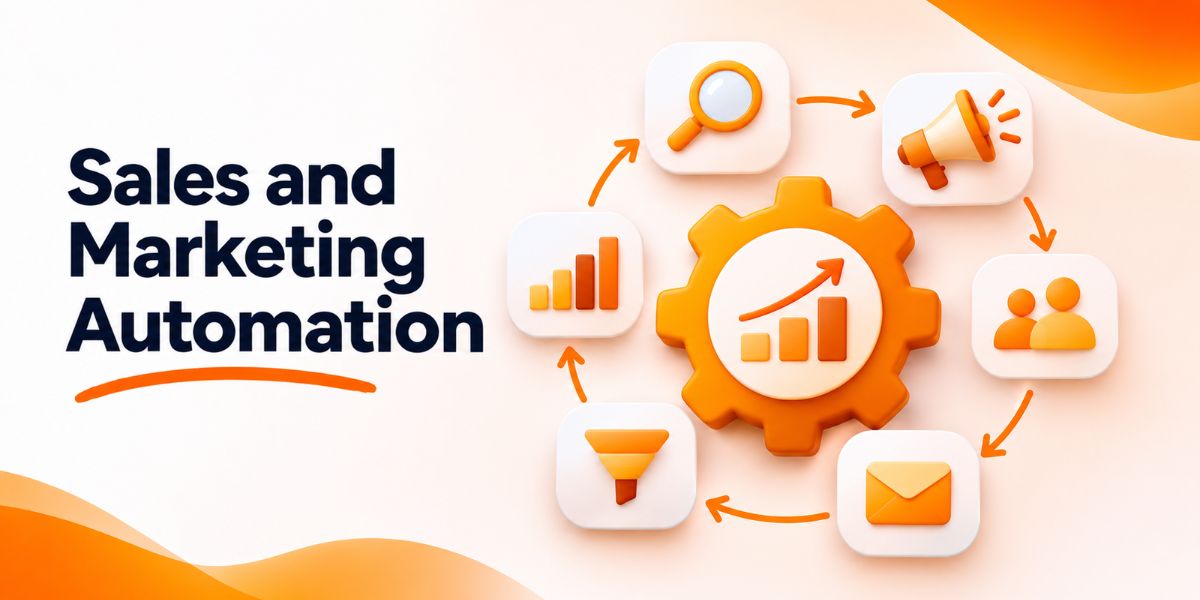
The workflow should follow the same sequence as the buyer journey. Research determines what to launch, campaigns generate demand, qualification determines priority and sales outcomes improve the next campaign.
Research
→
Campaign
→
Lead Capture
→
Qualify
→
Route
→
Nurture
→
Revenue
Revenue data then feeds back into research and campaign decisions.
What Is Sales and Marketing Automation?
Sales and marketing automation uses software, rules and AI to reduce repetitive work across acquisition, lead management, follow-up and reporting.
Marketing automation usually covers campaigns, lead capture, segmentation and nurture. Sales automation handles activities such as lead assignment, follow-up, deal updates and task creation.
Salesforce defines marketing automation as technology for managing marketing processes and multi-channel campaigns, while sales automation reduces repetitive sales activities. The useful part is connecting the two instead of treating them as separate systems.
Reference: Salesforce automation definitions
STAGE 1
Research the Market Before You Automate Campaigns
Automation should begin with evidence, not a blank campaign brief. Research the competitors, keywords, creatives and landing pages already competing for the same buyer.
What to Research
- Platforms where competitors advertise
- Commercial keywords they target
- Recurring headline and offer patterns
- Creative formats used repeatedly
- Landing pages receiving paid traffic
- Seasonal or changing campaign patterns
AdSpyder workflow
Enter competitors into the AI Competitor Analysis Agent. Review their ads, keywords, creative patterns, geo signals and campaign changes. Then convert those signals into an original campaign hypothesis.
For deeper manual validation, use AdSpyder’s competitor ad audit methodology to compare search, social, video and landing-page activity together.
STAGE 2
Turn Research Into a Trackable Campaign
The campaign should translate market intelligence into one clear hypothesis that can be measured.
A useful campaign brief should answer four questions:
Target buyer or account
Pain or buying intent
Reason to click or convert
Lead, demo, RFQ or sale
When copy production becomes repetitive, AdSpyder Ad Generation can help turn advertising intelligence into platform-aware ad copy while keeping the final positioning original.
Before launch, add campaign, creative and landing-page tracking so later CRM outcomes can be tied back to the correct acquisition path.
STAGE 3
Capture the Lead Without Losing Acquisition Context
A lead record should preserve why that person arrived, not only their email address.
Useful fields can include:
- Source and medium
- Campaign
- Creative or ad
- Keyword or intent theme where available
- Landing page
- Offer
- Form answers
This context becomes important later. Two leads with identical form answers may deserve different treatment if one arrived from a pricing search and the other from an educational awareness campaign.
STAGE 4
Qualify and Route Leads Automatically
Automation should route leads based on both customer fit and buying intent. Sending every form submission to sales creates noise instead of efficiency.
| Fit | Intent | Recommended Route |
|---|---|---|
| High | High | Send to sales now |
| High | Low | Nurture |
| Low | High | Manual review |
| Low | Low | Low-cost nurture or filter |
Salesforce similarly recommends combining engagement scoring with fit-related grading so higher-quality leads reach sales first. Salesforce’s lead-management guidance also describes automated routing based on qualification criteria.
STAGE 5
Nurture Leads That Are Good but Not Ready
Lead nurture should respond to the prospect’s problem and behavior rather than send the same sequence to everyone.
A simple nurture workflow can use:
- Original campaign or content interest
- Pages visited after conversion
- Email engagement
- Return visits to pricing or product pages
- Changes in lead score or buying intent
HubSpot’s current marketing automation guidance similarly recommends behavior-triggered nurture rather than sending identical messages to every contact. HubSpot’s automation guide describes nurture as delivering information based on what a contact actually does.
STAGE 6
Feed Sales Outcomes Back Into Marketing
The workflow is incomplete until marketing knows what happened after lead generation.
Send these outcomes back into campaign reporting:
Qualified
Sales Accepted
Meeting
Opportunity
Won
Lost
Now research becomes smarter. Instead of asking which competitor ad looks attractive, you can ask which messaging gaps might help attract more of the leads your sales team actually closes.
Sales and Marketing Automation Examples
B2B SaaS
Competitor research → demo campaign → lead scoring → sales routing → product nurture → opportunity feedback.
Manufacturer
High-intent keyword → product landing page → RFQ → capability qualification → sales engineer → quote outcome.
Marketing Agency
Competitor audit → niche campaign → consultation form → budget qualification → calendar → proposal.
The Gushwork B2B manufacturing guide follows a similar system-level principle by connecting high-intent acquisition, website conversion, lead qualification, nurture and measurement instead of treating each tactic independently.
Metrics That Matter More Than Automation Volume
The goal is not to automate more tasks. It is to produce more efficient revenue.
| Metric | What It Reveals |
|---|---|
| Qualified Lead Rate | Whether campaigns attract suitable buyers |
| Speed to Lead | Whether routing removes unnecessary delay |
| Cost per Qualified Lead | True acquisition efficiency |
| Opportunity Rate | Whether marketing creates pipeline |
| Nurture Progression | Whether non-ready leads become sales-ready |
| Revenue by Campaign | Which acquisition decisions create customers |
Six Automation Mistakes That Break the Workflow
- Automating before research — poor assumptions simply scale faster.
- Sending every lead to sales — volume replaces priority.
- Losing acquisition context — sales cannot see why the lead converted.
- Using one nurture sequence — different buyer intent receives identical follow-up.
- Optimizing for CPL — cheap form fills can hide weak pipeline quality.
- No feedback loop — marketing never learns which campaigns create revenue.
Sales and Marketing Automation Checklist
Start With Better Research
Do not automate campaigns built on guesses.
Use AdSpyder to research competitor ads, keywords, creative patterns and campaign changes before you build the automation that scales your next campaign.
Frequently Asked Questions
What is sales and marketing automation?
Sales and marketing automation connects repetitive activities across campaign execution, lead capture, qualification, nurture, sales routing and reporting so the buyer journey requires fewer manual handoffs.
How is AI used in marketing automation?
AI can support competitor research, ad creation, segmentation, lead scoring, personalization, nurture and reporting. Each use case requires different data, so one AI model should not automatically control every stage.
What should a business automate first?
Start with repetitive tasks that already follow clear rules, such as source tracking, lead assignment, alerts and basic nurture. Do not automate an unclear process before fixing it manually.
What is the difference between sales automation and marketing automation?
Marketing automation focuses mainly on acquisition, campaigns, segmentation and nurture. Sales automation focuses on routing, follow-up, tasks and pipeline activity. The best workflow keeps customer context connected across both.
How does AdSpyder help with marketing automation?
AdSpyder improves the research and campaign-planning layer. Its AI Competitor Analysis Agent can research competitor ads, keywords, creatives, geo signals and campaign trends so marketers can build automation around stronger market evidence.
Can AdSpyder replace a CRM?
No. AdSpyder is focused on advertising and competitor intelligence. A CRM should remain the system of record for individual leads, sales activity, opportunities and revenue.
Which metrics should an automated funnel track?
Track qualified-lead rate, speed to lead, cost per qualified lead, opportunity rate, nurture progression and revenue by campaign. These show whether automation improves business outcomes rather than simply increasing activity.