Quick Answer
- A good lead generation form collects the minimum information needed for the next useful business action.
- Use a short form for low-commitment offers and a qualifying form when sales needs information before responding.
- Move non-essential fields into conditional questions, a second step or the sales conversation.
- Measure qualified lead rate and cost per qualified lead—not submissions alone.
- Use AdSpyder Landing Page Analysis to study competitor form placement, CTA language, page structure and ad-to-page consistency.
Every extra question creates friction. Removing every question, however, can fill your CRM with leads your team cannot route, prioritise or help.
The goal is not to build the shortest possible form. It is to collect the smallest amount of information that allows you to take the right next action.
This guide gives you a field-selection framework, templates for different business models, qualification questions, measurement formulas and a competitor-research workflow.
Table of Contents
What Is a Lead Generation Form?
A lead generation form is a website form that exchanges information, access or assistance for a visitor’s contact details and relevant business context.
The form may trigger a download, quote, consultation, demo, callback, registration or sales follow-up. Its fields should match that promised outcome.
Practical Rule: If an answer does not change fulfilment, routing, qualification, preparation or eligibility, you probably do not need it before the first conversion.
Short vs Long Lead Generation Forms: The Real Trade-Off
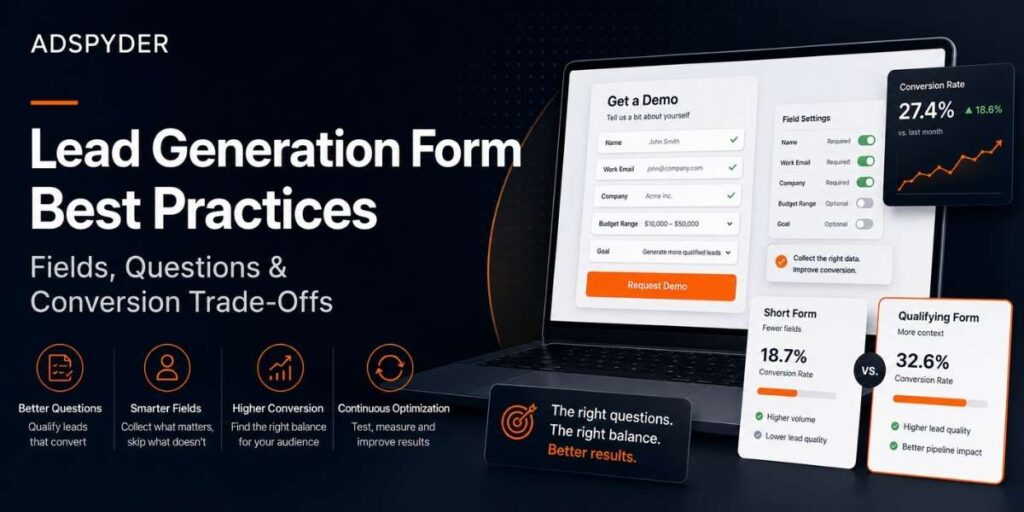
Short forms reduce the amount of work required from the visitor. Qualifying forms give your team more context before responding. Neither is automatically better.
| Situation | Recommended Form | Reason |
|---|---|---|
| Newsletter or simple download | Short form | The value and commitment are both low. |
| Webinar or event registration | Short to moderate | Collect only what is needed for registration and useful segmentation. |
| SaaS demo request | Moderate qualifying form | The sales team needs enough context to prepare and route the request. |
| Local service quote | Moderate or conditional | Location, service type and timing may affect eligibility and pricing. |
| Complex high-value service | Multi-step qualifying form | Several answers may be required before assigning the correct specialist. |
Avoid Fixed Field-Count Advice: A five-field form can feel excessive for a newsletter and insufficient for an enterprise security assessment.
The Four-Bucket Field Framework
Before designing the form, place every proposed field into one of four buckets.
Bucket 1
Collect Now
Information required to deliver the offer, contact the lead or perform the promised next step.
Bucket 2
Collect Conditionally
Questions shown only when an earlier answer makes them relevant.
Bucket 3
Infer Automatically
Campaign source, landing page, device, referral data and other context that does not need to be typed by the visitor.
Bucket 4
Collect Later
Information that can wait until booking, onboarding, checkout or the sales conversation.
This approach supports data minimisation: collect information that is adequate for the stated purpose, relevant to that purpose and limited to what is necessary.
Reference: ICO Guidance on Data Minimisation.
How to Build the Form Step by Step
Define the Next Action
Write down exactly what happens after submission. Sending a PDF requires less information than preparing a tailored enterprise demo.
Audit Every Proposed Field
For each field, ask: What decision will this answer change? Remove or postpone any field without a clear answer.
Choose Required and Optional Fields
Required fields should be necessary for fulfilment or routing. Clearly label optional fields as optional instead of forcing visitors to guess.
Add Conditional Questions
Show a question only when it applies. A business selecting “Google Ads management” may see an ad-spend question, while an SEO enquiry should not.
Make the Form Understandable
Use visible labels, clear instructions, logical field groups and useful error messages. Tell users when submission succeeds and what happens next.
Test the Entire Path
Test mobile and desktop submission, validation, CRM routing, confirmation messages, email delivery, tracking parameters and duplicate handling.
Lead Generation Form Templates by Business Type
| Use Case | Collect Now | Conditional or Optional | Collect Later |
|---|---|---|---|
| Lead Magnet | First name | Company, role, phone | |
| SaaS Demo | Name, work email, company, main challenge | Role, company size, current solution | Technical requirements, procurement details |
| Agency Enquiry | Name, email, company, required service | Budget range, channel, timeline | Full account history, access and detailed targets |
| Local Service Quote | Name, preferred contact method, service, service area | Preferred date, property or job details | Exact address when it is not yet required |
| High-Ticket B2B Consultation | Name, work email, company, use case | Company size, timeline, budget range, decision process | Detailed scope and stakeholder information |
How to Write Qualification Questions
A qualification question should help your business make a decision. It should not exist merely because the information might be interesting.
| Weak Question | Better Question | Why It Is Better |
|---|---|---|
| Tell us about your business. | Which result are you trying to improve? | Focuses the response on the problem. |
| What is your budget? | Which investment range have you set aside for this project? | Explains what the number represents. |
| When do you need this? | When would you like the new process or campaign to be live? | Creates a specific reference point. |
- Use ranges when an exact answer is unnecessary.
- Explain why sensitive information is needed.
- Include “Not sure” when uncertainty is a valid answer.
- Avoid questions that require internal data the visitor may not have available.
Single-Step vs Multi-Step Lead Forms
Use a single-step form when the request is simple enough to understand at a glance. Use a multi-step form when questions form clear stages or conditional paths.
Use a Single-Step Form When
- Only a few fields are required.
- The visitor understands the offer immediately.
- No complex branching is required.
Use a Multi-Step Form When
- Questions belong to separate logical stages.
- Later questions depend on earlier answers.
- Users need progress information and a review step.
Accessibility Reference: W3C Forms Tutorial. It recommends clear labels, instructions, validation, notifications and logical stages for longer forms.
Lead Generation Form Metrics That Matter
A higher submission count is not automatically a better result. Measure both friction and downstream quality.
Form Completion Rate
Completed forms ÷ form starts × 100
Shows how many people finish after beginning.
Visitor-to-Lead Rate
Submissions ÷ landing-page visitors × 100
Measures total page-to-form conversion.
Qualified Lead Rate
Qualified leads ÷ total submissions × 100
Shows whether the form attracts suitable prospects.
Cost per Qualified Lead
Campaign cost ÷ qualified leads
Connects media spend with usable pipeline.
Lead-to-Opportunity Rate
Sales opportunities ÷ qualified leads × 100
Tests whether qualification predicts sales potential.
Invalid Submission Rate
Spam or invalid submissions ÷ total submissions × 100
Reveals how much form volume is unusable.
Benchmark Warning: Form performance varies by traffic source, offer, device, audience and sales model. Compare tests against your own baseline before using a third-party benchmark.
See How Competitors Structure the Full Post-Click Journey
Compare form placement, CTA language, trust signals, page layouts and historical landing-page changes before designing your next test.
How AdSpyder Improves Lead Form Research
Your analytics can show where people abandon your form. They cannot show how competitors structure their pages, connect paid-ad promises to forms or change their conversion paths over time.
AdSpyder adds an external research layer to your internal form data.
1. Search a Competitor URL, Ad or Domain
Start with a direct competitor, a category leader or a brand using a similar lead-generation model.
2. Review Current and Historical Landing Pages
Use Landing Page Analysis to inspect screenshots and see how the page structure has changed over time.
3. Record Observable Form Patterns
- Form position on the page
- CTA wording and surrounding copy
- Visible fields and question sequence
- Trust signals near the form
- Message match between the ad and landing page
4. Compare More Than One Competitor
A single form is an example. Patterns across several competitors are more useful for identifying category conventions and untested gaps.
5. Connect the Form to Wider Campaign Activity
Use URL Domain Analysis to review domain-level ad activity across supported platforms and identify the campaigns sending visitors into the page.
6. Turn Observations Into an Original Test
Write a hypothesis based on the gap you found. Test the change using your own form analytics, CRM data and sales outcomes.
Important Limitation: AdSpyder can show observable page and advertising patterns. It cannot reveal a competitor’s private form completion rate, lead quality, CRM data or revenue.
Common Lead Generation Form Mistakes
Collecting Data “Just in Case”
Every field should have a defined operational purpose.
Requiring a Phone Number Without Reason
Require it only when a call is part of the promised next step.
Using Placeholders as Labels
Labels should remain visible while the visitor types.
Using Generic Error Messages
Tell the visitor what is wrong and how to correct it.
Creating an Ad and Form Message Mismatch
The page should fulfil the same promise that earned the click.
Optimising Only for Submissions
A form can generate more leads while producing less usable pipeline.
Lead Generation Form Checklist
Frequently Asked Questions
How Many Fields Should a Lead Generation Form Have?
There is no universal number. Include the minimum information needed to deliver the promised next step, route the lead and prepare the response.
Are Shorter Forms Always Better?
No. Short forms reduce friction, but a qualifying form may produce fewer and more relevant enquiries. Evaluate both completion and lead quality.
What Fields Should a B2B Lead Generation Form Include?
Start with name, work email, company and one question about the required outcome or problem. Add company size, budget or timeline only when the answer changes routing or preparation.
Should a Phone Number Be Required?
Require it when a call is part of the promised response. Otherwise, make it optional or request it later.
What Is the Difference Between a Lead Form and a Contact Form?
A contact form usually accepts general messages. A lead generation form is tied to a specific offer or next step and often includes questions used for routing or qualification.
Can AdSpyder Show a Competitor’s Form Conversion Rate?
No. Conversion rates, lead quality and CRM outcomes are private. AdSpyder helps you inspect visible page structure, form placement, CTA language, trust elements and page changes.
Which Metric Should I Use to Judge a Form Test?
Use completion rate to evaluate friction, then qualified lead rate, cost per qualified lead and lead-to-opportunity rate to evaluate business value.
Sources and Further Guidance
- W3C Web Accessibility Initiative: Forms Tutorial
- Information Commissioner’s Office: Data Minimisation
- GOV.UK Design System: Question Pages
- AdSpyder Landing Page Analysis
Research the Full Competitor Conversion Path
Review competitor ads, landing-page screenshots, CTA patterns, form placement and historical page changes before planning your next lead-generation test.