
Video gets attention. But attention alone doesn’t convince your CFO. If you’re spending serious time and money on video, you need to show exactly on Measuring Video Marketing ROI—not just vanity metrics like views or likes, but leads, sales, and long-term value.
In this guide, we’ll walk through a practical, numbers-first framework you can use to:
- Track every rupee/dollar you spend on video
- Connect video performance to real business outcomes
- Decide which videos to double down on (and which to kill)
- Use competitive insights to make your next production cheaper and more effective
Quick Summary: Measuring Video Marketing ROI
If you only remember one framework, make it this:
- Define a clear video goal and how you’ll measure success (leads, sales, reduced returns, fewer support tickets, etc.).
- List every cost related to production and distribution: pre-production, production, post, tools, ad spend, and internal time.
- Set up tracking: pixels, UTMs, conversion events, CRM, or analytics dashboards.
- Map metrics to the funnel: awareness → engagement → clicks → conversions → customer value.
- Assign a monetary value to each outcome (average revenue per sale, value per lead, savings from reduced support/returns).
- Calculate ROI using the formula:
ROI = (Total Return − Total Cost) ÷ Total Cost × 100 - Compare ROI across videos and channels, then optimize and repurpose high-ROI content.
The rest of this article fills in the details with templates and examples you can plug straight into your reporting.
What Is Video Marketing ROI?
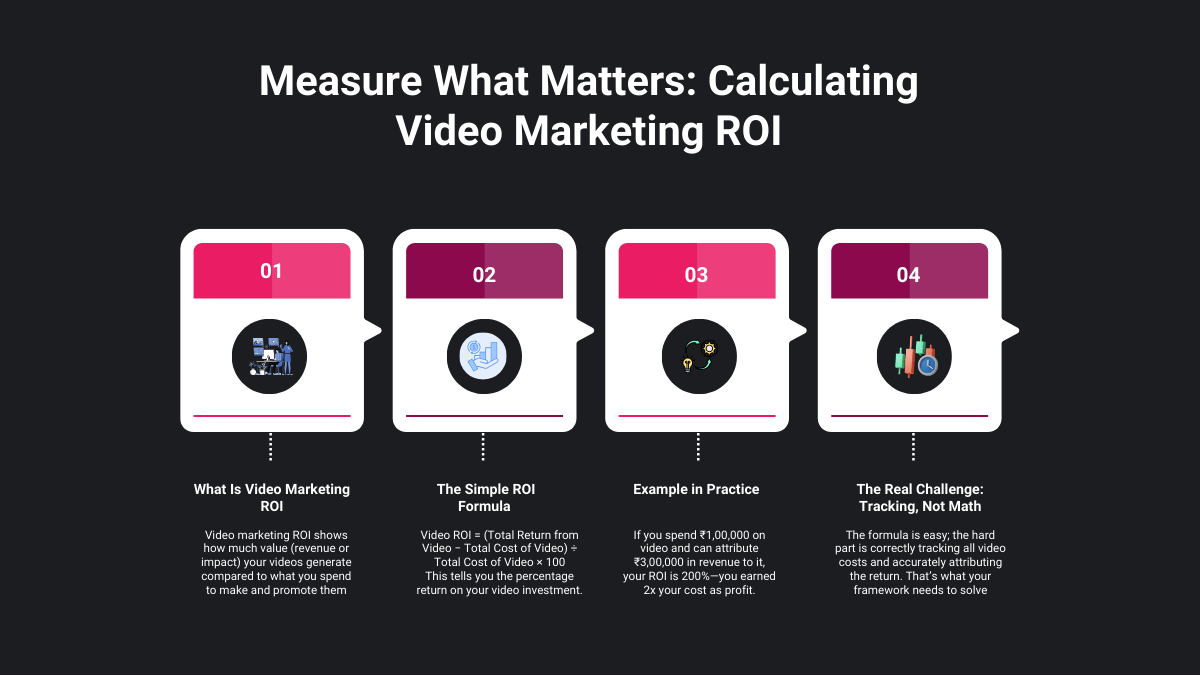
Video marketing ROI measures how much value your videos generate compared to how much they cost to create and distribute.
At its simplest:
Video ROI = (Total Return from Video − Total Cost of Video) ÷ Total Cost of Video × 100
Example:
If you spent ₹1,00,000 and can attribute ₹3,00,000 in revenue or value to your videos:
- Return − Cost = 3,00,000 − 1,00,000 = 2,00,000
- 2,00,000 ÷ 1,00,000 = 2
- ROI = 2 × 100 = 200%
The trick is not the math—it’s accurately tracking both cost and return. That’s what the step-by-step framework solves.
Related – Enhancing Customer Experience with Video
Step-by-Step Framework: Measuring Video Marketing ROI
Step 1: Define Video Goals and Success Metrics
Before you pick up a camera or brief an agency, choose one primary goal for each video or series:
- Awareness – reach and views among your target audience
- Engagement – watch time, % viewed, comments, shares
- Lead generation – form fills, demo requests, trial signups
- Sales – purchases, upgrades, upsells
- Efficiency/retention – fewer support tickets, reduced return rate, improved onboarding
Turn that into a goal statement:
“This explainer video should generate 150 demo requests in 90 days at ≤ ₹2,000 per demo.”
Then assign metrics:
- Awareness → impressions, unique views, play rate
- Engagement → average watch time, % completed, reactions/comments/shares
- Lead gen → CTR, landing page conversion rate, total leads, CPL
- Sales → total revenue, CPA, ROAS
- Efficiency → reduction in ticket volume, return rate, churn, etc.
Goal checklist:
- One main goal per video or campaign
- 1–2 primary metrics and 1–2 secondary metrics
- Written down in your brief and campaign names (e.g., VDO_Explainer_Demo_150Q1)
Step 2: Calculate Total Video Production Cost
To measure ROI on video production, you need a complete cost picture—not just what you paid the videographer.
Break costs into these buckets:
Pre-production
- Concept & strategy
- Scriptwriting
- Storyboarding
- Location scouting
Production
- Camera, lights, audio (rental or depreciation)
- Studio/location fees
- Talent (actors, presenters, voiceover)
- Crew (director, DOP, assistants)
Post-production
- Editing, colour grading, sound design
- Motion graphics, subtitles, thumbnails
- Revisions and re-edits
Distribution & promotion
- Paid ads (YouTube, social, native, OTT)
- Influencer fees or paid placements
- Sponsored email/website placements
Tools & software
- Editing tools
- Video hosting & analytics
- Stock footage, music licensing
Internal time
Marketing, product, and leadership hours spent on planning, reviewing, and approvals
Mini template:
Create a simple spreadsheet with these columns:
- Video name
- Cost category
- Amount
Then sum them into Totthe al Cost per Video.
Step 3: Track Distribution and Set Up Measurement
You can’t measure ROI on video if you don’t know where views and conversions come from.
3.1. Choose your primary distribution channels
Common ones:
- YouTube (organic & ads)
- Social media (Instagram, Facebook, LinkedIn, TikTok, X)
- Landing pages & product pages
- Email campaigns
- In-app/product onboarding
Decide ahead of time:
- Which channels will carry this video?
- What is the desired action from each channel? (Click to site, subscribe, purchase, book a call, etc.)
3.2. Set up tracking properly
Before launch, make sure you have:
- Pixels/tags installed (Google, Meta, LinkedIn, etc.)
- Conversion events defined (e.g., lead_submit, purchase, signup_complete)
- UTM parameters on every link from every video:
- utm_source, utm_medium=video, utm_campaign, utm_content=video_name_or_hook
- utm_source, utm_medium=video, utm_campaign, utm_content=video_name_or_hook
3.3. Create simple dashboards
In your analytics or BI tool, create a view that shows for each video:
- Views, watch time, CTR
- Conversions (leads, purchases)
- Revenue or lead value
- Cost (production + ad spend)
You want to be able to answer:
“This video generated X leads or Y revenue for Z total cost.”
Also Read – Video Marketing for Nonprofits
Step 4: Map Video Metrics to the Funnel
Not every video will directly drive sales—and that’s okay. The important thing is to know which stage each video is optimising.
4.1. Funnel-based metric map
|
Funnel Stage |
Example Video Types |
Key Metrics |
|
Awareness |
Brand films, story ads, social shorts |
Impressions, views, play rate, reach |
|
Engagement |
Explainers, tutorials, webinars |
Avg. watch time, % viewed, likes, comments |
|
Consideration |
Comparison videos, product deep-dives |
CTR to site, time on page, add-to-cart |
|
Conversion |
Offer videos, retargeting ads, and case studies |
Leads, purchases, CPA, revenue, ROAS |
|
Retention/Value |
Onboarding, training, and feature updates |
Reduced tickets, reduced churn, and upsell revenue |
For each video, tag which stage it’s targeting and pick metrics accordingly.
4.2. Turn engagement into business value
Some examples of how “soft” metrics translate into ROI:
- Higher product page watch time → higher add-to-cart → more sales
- Better onboarding videos → fewer support tickets → support cost savings
- Strong education content → higher lifetime value (LTV)
You’ll use these relationships in Step 5.
Step 5: Assign a Monetary Value to Video Outcomes
Now we move from “views and likes” to rupees/dollars.
There are three main ways video delivers value:
- Direct revenue – sales that can be attributed to a video campaign
- Lead value – leads that enter your pipeline because of the video
- Cost savings – fewer returns, fewer support tickets, faster onboarding, reduced churn
5.1. Direct revenue
For campaigns where the video directly drives purchases:
- Use your ad platform + analytics to track purchases after video views or clicks
- Multiply the number of purchases × the average order value
Example:
- 120 purchases from a video campaign
- Average order value: ₹4,000
- Revenue = 120 × 4,000 = ₹4,80,000
5.2. Lead value
For lead gen videos (B2B, high-ticket B2C):
Calculate lead value:
Lead value = Close rate × Average deal value
Example:
- Close rate: 10%
- Average deal: ₹60,000
- Lead value: 0.10 × 60,000 = ₹6,000 per lead
Multiply by leads generated from video:
- 80 leads attributed to a video
- Value = 80 × 6,000 = ₹4,80,000
5.3. Cost savings
For support, returns, or churn reductions:
- Onboarding video reduces monthly support tickets by 200
- Each ticket costs roughly ₹150 in support time
- Monthly saving = 200 × 150 = ₹30,00
- Annual saving = 30,000 × 12 = ₹3,60,000
Sum these up to get the Total Return from Video.
Step 6: Calculate Video ROI (With Examples)
Now you’ve got:
- Total Cost (from Step 2)
- Total Return (from Step 5)
Use the formula:
ROI = (Total Return − Total Cost) ÷ Total Cost × 100
Example 1: Lead Gen Explainer Video
- Total production + promotion cost: ₹2,00,000
- Leads generated over 6 months: 100
- Lead value: ₹6,000 (as in Step 5)
- Total return = 100 × 6,000 = ₹6,00,000
Step-by-step:
- Return − Cost = 6,00,000 − 2,00,000 = 4,00,000
- 4,00,000 ÷ 2,00,000 = 2
- ROI = 2 × 100 = 200%
Example 2: Product Video Reducing Returns
- Cost to produce video: ₹80,000
- After adding the video to the product page, monthly returns drop by 50 units
- Average cost per return (logistics + processing + lost margin): ₹700
- Monthly saving = 50 × 700 = ₹35,000
- Annual saving (conservative): 35,000 × 12 = ₹4,20,000
Step-by-step:
- Return − Cost = 4,20,000 − 80,000 = 3,40,000
- 3,40,000 ÷ 80,000 = 4.25
- ROI = 4.25 × 100 = 425%
Once you calculate this for each video or campaign, you’ll know which ones truly deserve more budget.
Step 7: Compare, Optimize, Repurpose, and Scale
ROI measurement is not a one-time report—it’s a feedback loop.
7.1. Compare videos and channels
Create a simple comparison table (in your sheet or dashboard):
- Video/campaign
- Goal
- Cost
- Return
- ROI
- Notes
Look for:
- High-ROI videos to scale and repurpose
- Low-ROI videos to fix or retire
- Channels that consistently produce better returns
7.2. Systematic testing
Test:
- Hooks and intros (first 3–5 seconds)
- Length (15s vs 30s vs 60s)
- Thumbnails and titles (especially on YouTube)
- CTAs and end screens
- Audiences and placements
Change one variable at a time, where possible so you know what’s actually moving the numbers.
7.3. Repurpose high performers
When a video works:
- Cut it into shorter clips for reels/shorts
- Turn it into GIFs or teasers for email and social
- Use the core script for blog posts, carousels, or sales emails
- Localize it for new regions
The more you reuse successful footage, the lower your effective cost per video, which boosts ROI over time.
Calculating Video Production Cost: A Simple Template
Here’s a simple structure you can recreate in a spreadsheet:
- Pre-production – strategy & script
- Production – shoot (crew + equipment)
- Post-production – editing & graphics
- Distribution – YouTube & social ad spend
- Tools & software – stock footage & music
- Internal time – team hours (estimated)
- Total cost – sum of all the above
You don’t have to be perfect from Day 1—but the closer your estimate, the more confident your ROI numbers will be.
Check Out – Video for Landing Page: Attract Visitors & Increase Leads
Video Metrics That Actually Matter (Beyond Views)
Views are only step one. Treat them like impressions for display ads.
Here’s a more useful metric stack:
Awareness metrics
- Impressions
- Views & unique viewers
- Play rate (views ÷ impressions)
Engagement metrics
- Average watch time
- % of video watched
- Re-watches
- Likes, comments, shares, saves
Traffic metrics
- Click-through rate (CTR) on end screens/links
- Sessions from video landing pages (via UTMs)
- Time on page, scroll depth
Conversion metrics
- Conversion rate from video traffic
- Leads, purchases, signups
- Cost per lead (CPL) / cost per acquisition (CPA)
- Revenue and ROAS
Retention and efficiency metrics
- Support ticket volume before/after video
- Return rate before/after video
- Churn rate before/after video
- Upsell/expansion revenue
Pick 3–5 core metrics per video based on its goal instead of tracking everything for everyone.
Common Challenges in Measuring Video Marketing ROI (and How to Fix Them)
1. “Our videos influence the sale, but don’t directly close it.”
Fix: Use assisted conversion and view-through reporting where available. Track:
- Users who watched the video + later converted
- Impact on deal velocity (time to close)
- Changes in win rate after video is added to sales sequences
2. “Our sales cycle is long.”
Fix:
- Measure leading indicators: MQLs, SQLs, opportunities influenced
- Tie the video exposure to the pipeline created and the pipeline velocity
- Look at multi-touch attribution models, not just last-click
3. “We only track ad performance, not website behaviour.”
Fix:
- Add UTMs to all video links
- Integrate ad platforms with your analytics and CRM
- Build source/medium or campaign reports that show full journey: video → site → lead → revenue
4. “We don’t know how to value non-sales outcomes.”
Fix:
- Assign realistic costs to support tickets, returns, and churn
- Calculate savings and treat them like revenue in your ROI model
- Even conservative estimates are better than ignoring them
How AdSpyder Helps You Improve Video ROI
Measuring ROI is one side of the equation. The other side is making smarter, creative, and media decisions before you spend.
With AdSpyder, you can:
- Spy on YouTube video ads in your niche and see which creatives, hooks, and formats competitors are using
- Analyze thumbnails, titles, CTAs, and landing pages of high-performing campaigns
- Discover the keywords and domains competitors rely on for video traffic
- Use a central dashboard to understand what’s working on multiple platforms and plan your own video production accordingly
Practical workflow with AdSpyder
- Search for your key topics or competitor domains in the YouTube Ads Spy tool
- Save top-performing video ads into a swipe file: note hooks, length, structure, offer
- Look for patterns:
- Are short bumpers working better than long explainers?
- Which hooks keep appearing (price, speed, social proof, fear of missing out)?
- What types of landing pages convert (long-form, direct checkout, lead form)?
- Are short bumpers working better than long explainers?
- Use those patterns to inform your next video brief:
- Structure, length, and hook you’ll test
- Visual style and CTA
- Landing page flow
- Structure, length, and hook you’ll test
The result: you start every new production closer to a proven winning concept, which reduces wasted production and ad spend and makes your campaign ROI easier to hit.
FAQs About Measuring Video Marketing ROI
1. How long should I wait before judging video ROI?
For most campaigns, allow at least 2–4 weeks of data, depending on your traffic volume and sales cycle. For brand and onboarding videos, you may need 1–3 months to see the full impact.
2. Can I measure ROI if I don’t run paid ads?
Yes. Organic video can still be tracked:
- Use UTMs on links in descriptions and end screens
- Track on-site behaviour (time on page, conversions) from video traffic
- Measure support/return reductions and retention for onboarding or help-center videos
You’ll rely more on analytics and less on ad platform reporting, but the same ROI formula applies.
3. What if my video doesn’t directly generate revenue?
Then look at proxy metrics and cost savings:
- Leads or trial signups
- Higher demo show-up rates
- Fewer support tickets
- Lower return rates
- Higher renewal/upgrade rates
Calculate the financial value of those outcomes and plug them into the ROI formula.
4. How much should I spend on video production?
Reverse-engineer from your expected returns:
- Estimate a realistic return using your current funnel conversion rates
- Work backwards to a cost that would still give you a positive ROI
- Keep in mind that high-quality, evergreen videos can be reused and repurposed across years and channels, effectively lowering their cost per use
5. Do I need expensive production to see a positive ROI?
Not necessarily.
In many cases, clear, relevant, and authentic beats hyper-polished. UGC, screen recordings, and simple talking-head videos can produce excellent ROI if:
- The message is sharp
- The audience is well-defined
- The offer and CTA are strong
- You use data and competitive insights to guide your creative
Final Thoughts On Measuring Video Marketing ROI
Measuring video marketing ROI doesn’t have to be guesswork or a fancy slide in your quarterly review.
If you:
- Start with clear goals
- Track every rupee of cost
- Connect your videos to real business outcomes
- And continuously test and iterate, you’ll know exactly which videos deserve more budget and which formats genuinely move the needle.
Layer in competitive intelligence from tools like AdSpyder, and you’re not just tracking ROI—you’re engineering it before you even hit record. Use this guide as your baseline, adapt the examples to your numbers, and turn video from a “nice-to-have” content format into a predictable, measurable growth channel for your brand.