AI Search Advertising
Quick Answer
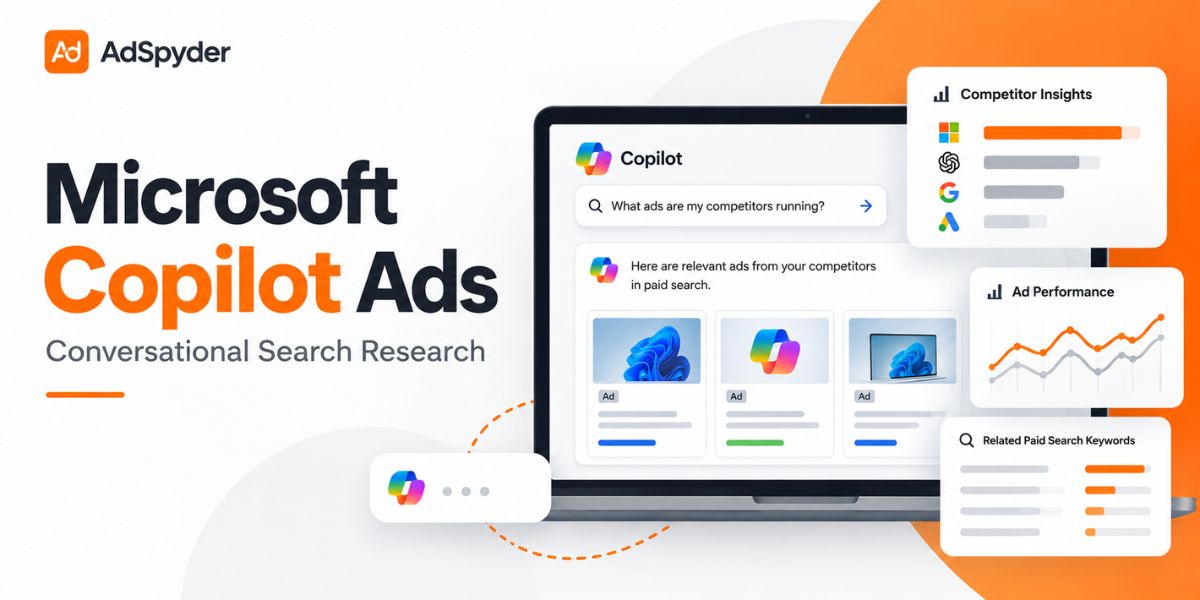
Microsoft Copilot ads are changing paid-search research because advertisers are no longer dealing only with short keywords. Copilot users can describe needs, budgets, alternatives and objections in one conversation.
- Research complete buyer questions, not only keywords.
- Compare competitor headlines, offers and landing pages.
- Use Microsoft’s AI Max and campaign assets to improve relevance across AI search.
- Use AdSpyder’s Bing Ads Spy to research public Microsoft and Bing competitor ads by keyword, domain or URL.
A normal search might be “best CRM software.” A Microsoft Copilot conversation can be much more specific: “Which CRM is best for a 20-person sales team that needs automation, easy onboarding and lower pricing?”
That difference gives advertisers more context, but it also makes competitor research harder. Looking at keyword volume alone no longer tells you enough.
This is where AdSpyder becomes especially useful. Instead of guessing what competitors may be doing around AI search, advertisers can research the public paid-ad layer around the same buyer journey — including Bing ads, keywords, messages, landing pages and cross-platform activity.
Important research note
AdSpyder researches observable advertising signals. It does not expose private Copilot conversations, confidential competitor budgets or private Microsoft Advertising account data. Use it to understand public competitor activity and build better campaign hypotheses.
In This Guide
2026 Advertising Shift
What Has Changed With Microsoft Copilot Ads?
Microsoft is moving search advertising beyond a simple keyword-to-ad relationship. Copilot can understand a longer conversation and the context behind what a person wants.
01
Richer buyer intent
02
More contextual ads
03
AI-personalized assets
04
New research signals
For advertisers, this means competitor research should expand from “what keyword are they bidding on?” to “what buyer problem are they trying to own?”
How Microsoft Copilot Ads Work
Microsoft can use existing advertising assets to serve relevant ads across Copilot and other AI-powered search experiences.
- The user asks a detailed question containing commercial intent.
- Microsoft evaluates relevance using campaign assets, landing pages and other signals.
- A sponsored experience may appear when Microsoft finds a useful match.
- Advertisers measure outcomes through campaign reporting and conversion data.
The important point is that Microsoft Copilot ads are not isolated from paid-search strategy. Search campaigns, product information, creative assets and landing-page quality all matter.
Microsoft Copilot Advertising Capabilities in 2026
Microsoft has expanded its AI advertising stack significantly in 2026.
| Capability | What It Does | Why Advertisers Care |
|---|---|---|
| AI Max | Expands query matching, customizes text and improves URL routing. | Helps campaigns reach more complex conversational searches. |
| Offer Highlights | Surfaces relevant product benefits inside supported Copilot experiences. | Lets advertisers emphasize differentiators such as delivery or pickup. |
| Asset Personalization | Selects or generates more relevant ad messaging. | Makes strong source assets increasingly important. |
| Search Reporting | Adds visibility into queries, assets and campaign behavior. | Helps advertisers understand how AI is matching intent. |
The opportunity is clear: marketers who understand what competitors already say across Microsoft search have a better starting point when creating assets for AI-driven search.
AdSpyder Advantage
Why AdSpyder Becomes More Valuable as Search Gets Conversational
AI search creates more possible queries, but advertisers still need evidence before deciding what to test.
AdSpyder helps connect that new conversational intent with the advertising competitors are already running.
Research Bing Competitors
Use Bing Ads Spy to search competitor ad copies by keyword, domain or URL and review their messaging and landing pages.
Map the Full Ad Footprint
Use Domain Analysis to see where a competitor is active before narrowing research to Microsoft and Bing.
Compare Historical Creative
Use the AdSpyder Ad Library to compare recurring hooks, offers and creative directions across supported channels.
Why this matters for Copilot
Copilot may change how users express intent, but competitors still reveal their positioning through public ads. AdSpyder gives marketers a practical way to turn those observable signals into better Microsoft Advertising tests.
Bing Competitor Research
Do not enter AI search advertising blind.
Research how competitors already position themselves across Bing and other paid channels before deciding which messages, keywords and landing pages to test.
The AdSpyder Workflow for Microsoft Copilot Ad Research
The goal is not to guess which competitor might appear inside a specific Copilot conversation. The goal is to build a stronger paid-search strategy around observable evidence.
Build buyer questions first
Create questions around pricing, alternatives, features, use cases and objections. These questions describe the conversations you want your ads to be relevant to.
Run a competitor domain audit
Follow the AdSpyder competitor ad audit framework to map platforms, messages, search terms and post-click experiences.
Study Bing and Microsoft search ads
Look for repeated headlines, price messages, benefit statements and CTAs. Repetition often shows which positioning a competitor continues to test.
Build a research-backed swipe file
Save useful examples using the AdSpyder ad swipe file workflow. Organize ads by hook, offer, format and funnel stage.
Turn research into original creative
Use AdSpyder’s competitor ads and AI prompt workflow to convert market research into original ad concepts rather than copying competitor creative.
Microsoft Copilot Ads Example for a SaaS Brand
Imagine a project-management SaaS company targeting US remote teams.
Possible Copilot question
“What project management software is good for a remote team of 15 people that wants simple onboarding and affordable pricing?”
What to research with AdSpyder
- Which competitors advertise on Bing around project-management terms?
- Which brands lead with pricing?
- Who emphasizes simple onboarding?
- What CTA appears most often?
- Which landing pages support the ad promise?
- What buyer concern is missing from competitor messaging?
This is an illustrative research scenario, not a claim that a specific advertiser appeared for this exact Copilot prompt.
Competitor and External Research References
The following pages were reviewed for this topic. They help confirm the growing advertiser interest around Microsoft Copilot ads, but this guide goes further by adding a practical competitor-ad intelligence workflow through AdSpyder.
- Digital Market Academy – Microsoft Copilot Ads provides a general explainer for advertisers exploring the format.
- Stackmatix – Microsoft Copilot Ads Guide approaches the topic from a paid-search and agency strategy perspective.
- Microsoft Advertising Help was supplied as an official research reference. Microsoft help URLs and product documentation can change, so confirm the latest version before publication.
Microsoft Copilot Ads vs Similar Search Terms
| Search | What It Means |
|---|---|
| Microsoft Copilot ad 2026 | Ads and sponsored experiences connected with Microsoft Copilot. |
| Microsoft AI advertising | The broader Microsoft Advertising ecosystem using AI for matching, creative and campaign optimization. |
| Microsoft Copilot commercial 2025 | Usually Microsoft’s promotional campaign for Copilot, not advertising inside Copilot. |
| Ads Copilot Amazon | Usually refers to Amazon advertising tools or an advertising copilot rather than Microsoft Copilot ads. |
| GitHub Copilot ads | A different GitHub-related search intent and not Microsoft Copilot advertising inventory. |
Microsoft Copilot Ads Research Checklist
✓ Built a list of conversational buyer questions
✓ Identified 3–5 direct competitors
✓ Checked competitor domains in AdSpyder
✓ Reviewed relevant Bing ad copy and keywords
✓ Compared offers, CTAs and landing pages
✓ Identified a competitor messaging gap
✓ Created original assets for Microsoft Advertising
✓ Planned measurement around conversions and ROAS
Turn conversational search into actionable competitor intelligence.
Research competitor Bing ads, keywords, messaging, landing pages and cross-platform activity before launching your next Microsoft Advertising test.
Also explore Domain Analysis and the Ad Library.
FAQ
Does Microsoft Copilot have ads?
Yes. Microsoft supports sponsored experiences in eligible Copilot and AI-powered search surfaces. Availability and formats can vary by market and campaign type.
Is Microsoft Copilot an advert AI?
No. Microsoft Copilot is an AI assistant and product family. Advertising is one commercial layer available inside certain Copilot experiences.
What is Ads Copilot?
The phrase can refer broadly to AI tools used for advertising. It should not automatically be treated as another name for Microsoft Copilot ad placements.
Is Microsoft Ads free?
Creating an account does not make advertising traffic free. Advertisers set budgets and pay according to the applicable campaign bidding model.
How can AdSpyder help with Microsoft Copilot ad research?
AdSpyder helps advertisers research the public competitive layer around Microsoft search. Its Bing Ads Spy can surface competitor ad copy, keywords, URLs and landing-page signals, while Domain Analysis helps map a competitor’s wider advertising footprint.
Can AdSpyder show private competitor Copilot data?
No. AdSpyder should be used for public competitor ad intelligence, not private Copilot conversations or confidential advertiser account information. Its value comes from turning observable ad evidence into actionable research.