Lead generation tools help businesses attract, capture, qualify, and nurture prospects across digital channels. In 2026, businesses need faster and smarter ways to build a strong sales funnel, reduce manual work, and focus on high-intent leads.
The right tool can improve lead capture, automate follow-ups, support lead scoring, and connect with CRM and marketing systems. This helps teams save time, improve conversions, and generate better ROI.
This guide is designed for B2B businesses that want to build a reliable pipeline and turn prospects into customers.
How We Selected the Best Lead Generation Tools?
We evaluated each tool based on the features that matter most for modern lead generation:
- Lead capture options such as forms, landing pages, pop-ups, chat, and social integrations
- Lead qualification features including scoring, profiling, and behavioral tracking
- Automation for nurturing, follow-ups, and handoff to sales
- Integrations with CRM, email, and marketing platforms
- Ease of use, onboarding, and implementation
- Reporting and analytics for lead sources, conversions, and campaign performance
- Pricing, scalability, and overall value
- Fit for different use cases, industries, and business sizes
Our goal was to identify tools that help businesses generate quality leads, simplify workflows, and grow more efficiently in 2026.
The Ten Best Lead Generation Tools for 2026 to Drive Your Business Forward
We thoroughly identified and evaluated our top 10 lead generation tools using our method. This list has a lot of different ways to acquire, capture, qualify, and nurture leads in 2026.
Tool #1: HubSpot Marketing Hub
The HubSpot Marketing Hub brings in new leads. Businesses may use its built-in capabilities to get leads, keep them interested, and make them happy so they become regular customers.
Detailed Description of Features and Functionality
The HubSpot Marketing Hub offers many lead-generating solutions.
- Forms: Create website and landing page forms to gather leads.
- Landing Pages: Create effective landing pages without coding.
- Live Chat: Answer inquiries and create leads with live chat on your website.
- Email Marketing: Targeted email marketing creates leads.
- Marketing Automation: Engagement-based lead nurturing and behavior are automated with marketing automation.
- SEO Tools: More organic traffic and leads come from optimizing content.
- Social Media Management: Interact with potential customers and guide traffic to lead capture sites.
- CRM Integration: Connecting with possible clients and directing traffic to lead capture pages. Tracks lead growth simply with HubSpot and other CRMs.
- Lead Scoring: Assess suitability and participation.
- Analytics and Reporting: Track your lead creation performance with reports and analytics.
Our Rating
- Lead Capture Capabilities: 5/5 – There are a lot of ways to get leads.
- Lead Qualification Features: 4.8/5 – Strong lead scoring and CRM integration.
- Automation and Workflow Capabilities: 5/5 – Strong lead-nurturing marketing automation.
- Integration with Existing Systems: 5/5 – Flawless integration with HubSpot CRM and other technologies.
- Usability and Ease of Implementation: 4.5/5 – Easy interface, but the product needs time to grasp.
- Reporting and Analytics: 4.8/5 – Complete lead generating reports.
- Pricing and Value for Money: 4/5 – Many price ranges for corporate demands are included under cost and value.
- Specific Use Cases and Target Audience: Ideal for companies of all sizes searching for a complete inbound marketing and lead generation solution.
Pros (Personalized)
HubSpot’s connection simplifies sales, nurturing, and lead collection.
Cons (Balanced Perspective)
The whole suite might be expensive, and smaller businesses might not need all the capabilities.
Why This Tool is Useful for Top 10 Lead Generation
HubSpot’s integrated approach to attracting, collecting, qualifying, and nurturing leads fosters expansion.
Key Points to Consider When Choosing This Tool
Consider an all-in-one inbound marketing tool and a generating one. Choose a price point that fits your company size and requirements.
Check Out – Top 10 Cheapest Email Platforms
Tool #2: OptinMonster
OptinMonster helps companies turn website traffic into leads with customised and fast opt-in forms.
Detailed Description of Features and Functionality
OptinMonster provides several tools and services to help website visitors become leads:
- Multiple Form Types: Forms may be inline, floating bars, slide-ins, or pop-ups, among other things.
- Drag-and-Drop Builder: Using this simple tool, create lovely opt-in forms.
- Targeting and Personalization: Personalize and target visitors by behavior, referral source, region, and other factors.
- Exit-Intent Technology: Find visitors who are about to leave using exit-intent technology.
- A/B Testing: A/B testing can help you get more people to fill out your forms.
- Integration with Email Marketing Platforms: It works nicely.
- Analytics: Look at how well opt-in forms work.
Our Rating
- Lead Capture Capabilities: 5/5 – Very good at generating leads for website visitors.
- Lead Qualification Features: 3.5/5 – A little segmentation and mostly capture.
- Automation and Workflow Capabilities: 3/5 – Integrations affect platform automation limits.
- Integration with Existing Systems: 4.8/5 – Works with many email marketing solutions.
- Usability and Ease of Implementation: 4.7/5 – Easy to operate.
- Reporting and Analytics: 4/5 – Good form performance indicators.
- Pricing and Value for Money: 4.3/5 – Features and site traffic determine pricing.
- Specific Use Cases and Target Audience: Ideal for businesses trying to boost lead creation from website visitors.
Pros (Personalized)
OptinMonster’s well-designed and tailored forms have increased the number of leads on our website.
Cons (Balanced Perspective)
Nurturing calls for integration and top-of-funnel lead acquisition.
Why This Tool is Useful for Top 10 Lead Generation
OptinMonster’s focused, efficient on-site forms convert website views into leads.
Key Points to Consider When Choosing This Tool
Consider your website traffic, advanced targeting, and form customisation needs. Make sure it works on your email marketing system.
Tool #3: Leadpages

Leadpages lets companies create lead capture forms and high-converting landing sites for marketing campaigns.
Detailed Description of Features and Functionality
Using targeted websites and forms, Leadpages gathers leads:
- Landing Page Builder: Many designs enable you create landing pages using drag-and-drop.
- Lead Capture Forms: Forms on websites and landing pages collecting leads.
- Pop-Up Forms: Triggered lead capture pop-ups.
- Alert Bars: Non-intrusive lead capture and alert bars announcements.
- A/B Testing: Increase landing page conversions.
- Integrations: Operates alongside sales and marketing tools.
- Analytics: Track form and landing page performance.
Our Rating
- Lead Capture Capabilities: 4.8/5 – Strong focus on lead capture landing pages and forms.
- Lead Qualification Features: 3/5 – Initial capture takes precedence over integrations, which enable basic segmentation.
- Automation and Workflow Capabilities: 3/5 – Low platform automation relying on integrations.
- Integration with Existing Systems: 4.5/5 – Compatible with numerous marketing and sales tools.
- Usability and Ease of Implementation: 4.6/5 – Simple to use landing page creator.
- Reporting and Analytics: 4/5 – Obvious landing page and form performance indicators.
- Pricing and Value for Money: 4.2/5 – Price is determined by both features and traffic.
- Specific Use Cases and Target Audience: Perfect for marketing campaigns requiring landing pages for lead gathering.
Pros (Personalized)
Leadpages allows us to design professional, high-converting landing pages for our campaigns quickly.
Cons (Balanced Perspective)
Not as rich in marketing automation as all-in-one options.
Why This Tool is Useful for Top 10 Lead Generation
Leadpages simplifies the creation of lead capture forms and landing pages for focused lead generation.
Key Points to Consider When Choosing This Tool
Consider landing page complexity and frequency. Email marketing and customer relationship management (CRM) tools should work together.
Tool #4: Intercom
Intercom is excellent for lead generation and customer contact as it interacts with website visitors and customers via live chat, in-app messaging, and email.
Detailed Description of Features and Functionality
Intercom provides strong tools and services that allow businesses engage with consumers and create leads:
- Live Chat: Live chat transforms inquiries from website visitors into leads in real time.
- In-App Messaging: Targeted messages within the app might make users more active and involved.
- Email Marketing: Engage certain consumer groups with tailored email marketing that create leads.
- Bots: Intelligent bots might automate lead qualifying and customer contacts, hence reducing time and boosting output.
- Knowledge Base: Let self-service and fast answers to common inquiries.
- CRM: Manage the data and interactions of users in order to improve the quality of connections.
- Integrations: Use sales and marketing tools all the time.
Our Rating
- Lead Capture Capabilities: 4.5/5 – Lead acquisition with live chat and tailored messaging.
- Lead Qualification Features: 4/5 – Basic CRM and bots.
- Automation and Workflow Capabilities: 4/5 – Automate conversations and lead nurturing.
- Integration with Existing Systems: 4.7/5 – Compatible with many marketing and sales tools.
- Usability and Ease of Implementation: 4.4/5 – Simple conversation and campaign management.
- Reporting and Analytics: 4/5 – Interactivity and the number of reports discussed.
- Pricing and Value for Money: 4/5 – Provides feature- and use-based pricing choices.
- Specific Use Cases and Target Audience: It’s perfect for companies that wish to interact with clients and visitors in real time to generate leads and provide assistance.
Pros (Personalized)
Intercom’s tailored messaging and live chat effectively engage potential prospects and customize experiences.
Cons (Balanced Perspective)
When compared to specialist CRM systems, customer relationship management (CRM) solutions are more costly as their use rises, and their functionality is missing.
Why This Tool is Useful for Top 10 Lead Generation
Intercom allows real-time website visitor interaction, lead capture, and personalized discussions.
Key Points to Consider When Choosing This Tool
Consider your need for real-time client participation and anticipated conversation volume. Evaluate the pricing ranges by usage.
Must See – Top 10 Shopify Email Marketing Tools for 2026
Tool #5: Pipedrive
The sales CRM known as Pipedrive offers powerful options for lead management and deal monitoring, which are essential for the conversion of leads.
Detailed Description of Features and Functionality
Pipedrive manages the sales funnel and provides lead management tools.
- Lead Management: Follow the sales funnel as you track leads.
- Deal Tracking: Graphically trace transactions and follow up.
- Email Integration: Add email to monitor lead interaction.
- Automation: Sales procedures and follow-up should be automated.
- Web Forms: Connect web forms to the CRM to get leads.
- Lead Scoring: Give possible leads first importance.
- Reporting and Analytics: Use reporting and analytics tools to track sales and lead conversion.
- Integrations: Operates alongside marketing and sales tools.
Our Rating
- Lead Capture Capabilities: 3.8/5 – Provides online forms for direct lead creation.
- Lead Qualification Features: 4.5/5 – Effective qualification pipeline management and lead scoring management.
- Automation and Workflow Capabilities: 4.3/5 – Sales and follow-up process could be automated.
- Integration with Existing Systems: 4.7/5 – Compatible with many sales and marketing tools.
- Usability and Ease of Implementation: 4.5/5 – Easy lead/deal management.
- Reporting and Analytics: 4.2/5 – Tracks lead conversion and sales outcomes.
- Pricing and Value for Money: 4.1/5 – Users and features determine cost.
- Specific Use Cases and Target Audience: Excellent for sales teams to schedule and turn leads.
Pros (Personalized)
Pipedrive’s lead management tools and visual sales funnel monitor and convert leads efficiently.
Cons (Balanced Perspective)
Sales management emphasizes engagement with various top-of-funnel lead-generating techniques.
Why This Tool is Useful for Top 10 Lead Generation
Pipedrive keeps and develops leads to prevent them from falling through the gaps.
Key Points to Consider When Choosing This Tool
Consider your needs for lead management, pipeline visualization, and sales process. It should complement tools for generating leads.
Tool #6: Calendly
Calendly is a simple scheduling application that converts curiosity into planned events and generates leads by simplifying the process of arranging meetings and consultations.
Detailed Description of Features and Functionality
Calendly offers options including:
- Customizable Scheduling Pages: On sites that enable you adjust the timetable, you may set your availability.
- Different types of meetings: Give them a bunch of different kinds of meetings that last varied amounts of time.
- Automatic Reminders: Send them email reminders to assist them remember to come.
- Calendar Integration: This link lets you connect Google Calendar, Outlook, and other calendars.
- Time Zone Detection: The time zone detector automatically determines the time zone.
- Integration: Works with CRM, marketing, video calls, and other things.
- Scheduling: Teams may talk about and set up times to meet.
Our Rating
- Lead Capture Capabilities: 4/5 – Meeting reservations help to collect leads.
- Lead Qualification Features: 3.5/5 – Mostly setting up qualifying interest.
- Automation and Workflow Capabilities: 4/5 – Automated workflow capabilities manage scheduling and follow-ups.
- Integration with Existing Systems: 4.8/5 – Works with many key business tools.
- Usability and Ease of Implementation: 5/5 – It is simple for attendees and planners to use and implement.
- Reporting and Analytics: 3/5 – Basic meeting reporting.
- Pricing and Value for Money: 4.4/5 – Inexpensive and free courses.
- Specific Use Cases and Target Audience: Ideal for businesses converting leads into consultations and meetings.
Pros (Personalized)
Calendly has streamlined the conversion process by eliminating the back-and-forth of planning meetings with potential prospects.
Cons (Balanced Perspective)
The main drawback is that it’s a lead-collecting tool rather than a scheduling one.
Why This Tool is Useful for Top 10 Lead Generation
Calendly helps interested leads book appointments or consultations, facilitating a crucial lead-generating activity.
Key Points to Consider When Choosing This Tool
Consider how scheduling affects lead conversion. Link up with CRM and calendar systems.
Tool #7: LinkedIn Sales Navigator
LinkedIn Sales Navigator lets B2B organizations locate and interact with prospects on the greatest professional networking platform.
Detailed Description of Features and Functionality
LinkedIn Sales Navigator for targeted B2B lead generation:
- Advanced Search Filters: Sort results by industry, company size, job title, and more.
- Lead Recommendations: Receive relevant leads depending on your stored searches and actions.
- InMail Messaging: Contact leads who are not linked.
- Account Tracking: Monitor major accounts for new leads and events.
- CRM Integration: Add leads and CRM activities.
- Real-time Updates: Keep an eye on leads and corporate changes.
- Team Collaboration: Sales team collaboration: Share ideas and leads.
Our Rating
- Lead Capture Capabilities: 4.5/5 – Excellent B2B lead discovery and connection.
- Lead Qualification Features: 4/5 – Finding eligible leads is aided by advanced search criteria and account monitoring.
- Automation and Workflow Capabilities: 3/5 – Some CRM link, focus on identification and outreach.
- Integration with Existing Systems: 4.5/5 – Integration with usual CRM systems.
- Usability and Ease of Implementation: 4.2/5 – LinkedIn-savvy salespeople.
- Reporting and Analytics: 3.5/5 – A straightforward method for monitoring outreach and engagement.
- Pricing and Value for Money: 4/5 – Value depends on B2B lead growth; subscription-based.
- Specific Use Cases and Target Audience: This is important for outbound B2B sales teams.
Pros (Personalized)
LinkedIn Sales Navigator helps us find and engage B2B decision-makers.
Cons (Balanced Perspective)
Expensive for individuals and small groups, requires intentional outreach.
Why This Tool is Useful for Top 10 Lead Generation
Many lead-generating techniques depend on LinkedIn Sales Navigator’s focused B2B lead finding and connection solutions.
Key Points to Consider When Choosing This Tool
Before choosing a membership level, consider your target audience and direct approach to B2B lead creation. Also, consider your team size and requirements.
Tool #8: Drift
Drift draws in website users and turns them into leads via video, chatbots, and live chat.
- Detailed Description of Features and Functionality Drift provides lead-generating conversational strategies:
- Live Chat: Talk to people who visit your site in real time.
- Chatbots: Getting ready for meetings, qualifying leads, and automating chatbots.
- Video Messaging: Video calls make outreach and engagement more personal.
- Account-Based Marketing (ABM) Features: Reach significant accounts with account-based marketing (ABM).
- Integrations: Sales, marketing automation, and customer relationship management technology links.
- Meeting Scheduling: Planning a meeting: Speak with leaders to arrange meetings.
- Lead Qualification: Automate lead qualifying with chatbots.
Our Rating
- Lead Capture Capabilities: 4.8/5 – Outstanding in producing leads via dialogue.
- Lead Qualification Features: 4.5/5 – Good Chatbot for automated lead certification.
- Automation and Workflow Capabilities: 4.3/5 – Lead routing and automated meeting scheduling.
- Integration with Existing Systems: 4.7/5 -Works with many sales and marketing tools.
- Usability and Ease of Implementation: 4.4/5 – This tool allows for easy creation and maintenance of discussions.
- Reporting and Analytics: 4/5 – Keeps tabs on who’s talking and who’s generating leads.
- Pricing and Value for Money: 4/5 – Ideas for usage- and feature-based pricing.
- Specific Use Cases and Target Audience: Perfect for businesses wanting to interact with website users in real time and automate lead qualifying.
Pros (Personalized)
Drift’s conversational approach has enabled us to draw website traffic and turn them into qualified leads.
Cons (Balanced Perspective)
More features and use may be costly, so balancing drawbacks would be more relevant.
Why This Tool is Useful for Top 10 Lead Generation
Drift interacts with website users, qualifies leads via chatbots, and sets appointments using conversational marketing.
Key Points to Consider When Choosing This Tool
Consider your website traffic in connection with your desire to use conversational marketing for lead generation. When you choose a price level, consider your requirements.
Must See – Top 10 Competitor Analysis Tools
Tool #9: ContactOut
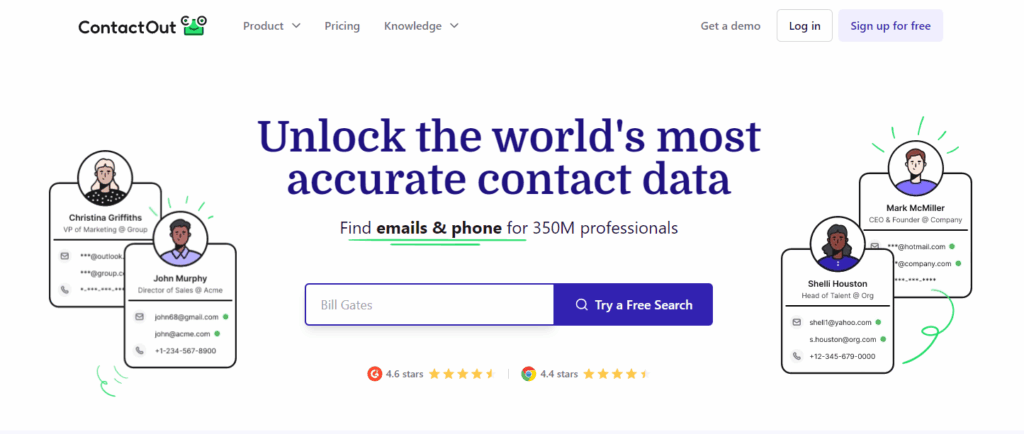
ContactOut is a specialized search engine and web extension designed to find personal email addresses and phone numbers for professionals, making it a staple for high-accuracy outbound prospecting.
Detailed Description of Features and Functionality:
ContactOut provides a deep database of professional profiles and direct contact details:
- LinkedIn Extension: Instantly find contact info while browsing LinkedIn or GitHub profiles.
- Search Portal: Use filters like job title, location, and company to find leads in bulk.
- Email Verification: Ensures the data provided is accurate and deliverable.
- Data Enrichment: Upload a list of LinkedIn URLs to automatically append emails and phone numbers.
- Email Campaigns: Send personalized outbound sequences directly from the platform.
- CRM Integration: Sync found leads directly to Salesforce, HubSpot, or Zapier.
- Personal Email Access: Accesses personal email addresses which often have higher response rates than work emails.
Our Rating
- Lead Capture Capabilities: 4.7/5 – Exceptional at extracting direct contact details from social profiles.
- Lead Qualification Features: 3.9/5 – Primarily focused on contact discovery rather than behavioral scoring.
- Automation and Workflow Capabilities: 4.2/5 – Strong bulk search and enrichment features.
- Integration with Existing Systems: 4.5/5 – Seamlessly connects with major CRMs and ATS platforms.
- Usability and Ease of Implementation: 4.8/5 – Extremely intuitive Chrome extension and dashboard.
- Reporting and Analytics: 3.5/5 – Focuses more on data delivery than deep campaign analytics.
- Pricing and Value for Money: 4.0/5 – Premium pricing, but offers a functional free tier for testing.
- Specific Use Cases and Target Audience: Best for recruiters and SDRs who need direct access to decision-makers.
Pros (Personalized)
ContactOut provides a significant edge by uncovering personal contact information that is often hidden by other B2B data providers.
Cons (Balanced Perspective)
While it excels at data accuracy, it is a specialized tool for contact finding and doesn’t offer the broad “all-in-one” marketing suite features of a HubSpot.
Why This Tool is Useful for the Top 10 Lead Generation
ContactOut bridges the gap between identifying a lead and actually reaching them, boasting one of the highest accuracy rates for direct-dial and personal email data.
Key Points to Consider When Choosing This Tool
Consider your volume of LinkedIn prospecting. If your team spends hours on LinkedIn, ContactOut’s extension will significantly reduce the time spent on manual data entry and lead research.
Tool #10: Hunter.io

Hunter.io helps companies locate website email addresses for direct contact and outbound lead creation.
Detailed Description of Features and Functionality
Email addresses are checked by Hunter.io
- Email Finder: Email Finder locates domain email addresses.
- Email Verifier: Verify email delivery with the Email Verifier.
- Bulk Email Finder: Find several email addresses at once.
- Chrome Extension: Quickly find email addresses on websites.
- API: Integrate Hunter.io with third-party applications using An API.
Our Rating
- Lead Capture Capabilities: 3.5/5 – Has information about how to get in touch with people for lead generating.
- Lead Qualification Features: 2.5/5 – Emphasizing contact finding, qualifying on own.
- Automation and Workflow Capabilities: 3/5 – Outbound automation tasks with API integration.
- Integration with Existing Systems: 4/5 – Connecting to preexisting infrastructure.
- Usability and Ease of Implementation: 4.6/5 – User interface and Chrome add-on.
- Reporting and Analytics: 2.5/5 – Basic email search reporting.
- Pricing and Value for Money: 4.3/5 – Selections that are both inexpensive and complimentary.
- Specific Use Cases and Target Audience: For sales and marketing teams who bring in leads from outside.
Pros (Personalized)
Hunter.io immediately offers appropriate contact details for generating outbound leads, saving us time.
Cons (Balanced Perspective)
This lead management system must communicate with other systems to work.
Why This Tool is Useful for Top 10 Lead Generation
Hunter.io simplifies outbound lead creation by finding prospect contact information.
Key Points to Consider When Choosing This Tool
Consider your strategy’s outbound lead generation and the level of contact information you need.
Tool #11: Qualaroo – Top Lead Generation Tools
Qualaroo lets businesses assess website visits and generate leads by conducting tailored surveys and polls at key user path points.
Detailed Description of Features and Functionality
Qualaroo gathers user information to create and improve leads.
- Targeted Surveys: Surveys with a purpose. Use other surveys, visitor behaviour, and demographics.
- Exit Surveys: Discover the reasons individuals leave your website.
- Lead Capture Forms: Add surveys, including integrated lead collection forms.
- Branching Logic: Create dynamic surveys based on user input.
- Integrations: Operates in harmony with analytics and marketing tools.
- NPS Surveys: Find advocates and assess customer satisfaction.
Our Rating
- Lead Capture Capabilities: 4/5 – Targeted polls generate leads.
- Lead Qualification Features: 4/5 – Survey results help qualify leads.
- Automation and Workflow Capabilities: 3/5 – Automation depends on integrations; data gathering-oriented.
- Integration with Existing Systems: 4.5/5 – Integrating with marketing and analytical tools using current systems.
- Usability and Ease of Implementation: 4.3/5 – Survey creation and distribution interface.
- Reporting and Analytics: 4/5 – Detailed user insights reports and surveys.
- Pricing and Value for Money: 4.1/5 – Features and feedback shape pricing policies.
- Specific Use Cases and Target Audience: Ideal for businesses seeking lead generation via tailored surveys and user behaviour analytics.
Pros (Personalized)
Qualaroo allows us to locate leads based on website visitor comments and behavior, as well as quickly answer questions.
Cons (Balanced Perspective)
Requires user survey participation; fair trade-offs.
Why This Tool is Useful for Top 10 Lead Generation
Qualaroo uses tailored surveys to engage website visitors and uses lead-collecting forms to find leads.
Key Points to Consider When Choosing This Tool
Consider your lead generation strategy’s need for direct user interaction and the readiness to employ surveys.
General Guidance: How to Choose the Right Lead Generation Tools for You
We have discussed eleven robust lead-generating technologies that enable you to draw, qualify, and develop prospects. But it’s crucial to choose the appropriate tool or mix for your business needs. Your industry, target demography, business model (B2B vs. B2C), sales process, budget, and technology stack all influence the “best” lead-generating toolset. A full guide to this picking process:
- Understand Your Ideal Customer Profile (ICP): You must specify your perfect customer before looking at tools. Who are they? What causes them pain? Where do they spend time online? What offerings or materials attract them? Knowing your ICP helps you in selecting strategies that interest your target market. For B2B lead generation, LinkedIn Sales Navigator could be a top priority if your ICP utilizes LinkedIn.
- Define Your Lead Generation Goals: What do you want to accomplish? Are you increasing lead count, quality, sales cycle, or prospect awareness? It is possible to choose tools that will aid you in achieving certain goals if you first establish those goals. For example, you could initially choose Leadpages and OptinMonster to boost website visitor leads.
- Map Your Customer Journey: Know your consumer’s route from awareness to qualified lead. Locate the most effective points of contact in order to collect information about prospective clients and communicate with them. Various funnel tools operate at multiple stages. For example, CRM links like Pipedrive control prospects during sales, while live chat systems such as Intercom and Drift interact with visitors early on.
Careful analysis of these traits will help you choose lead generation tools that will enable you to qualify, draw, catch, and develop leads, hence strengthening your business in 2026 and beyond. Be ready to update your tools since your requirements will change.
Watch Out – Top 10 Analytics Tools
Conclusion for Top Lead Generation Tools
These lead generation tools support different parts of the funnel, from inbound marketing and on-site conversion to live chat, B2B outreach, scheduling, CRM, and user behavior insights.
A strong lead generation strategy in 2026 depends on the right mix of tools to automate workflows, personalize engagement, and connect with qualified prospects. The best choice depends on your target audience, sales process, and business goals.
Explore the available tools, test free trials or demos, and choose the ones that fit your workflow best. The right setup can improve efficiency, focus your team on high-value leads, and help your business grow steadily.