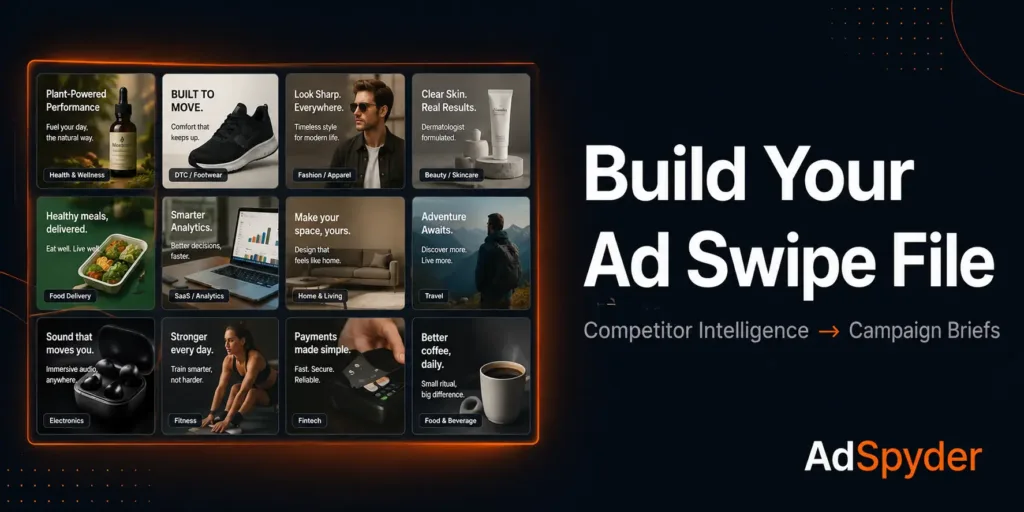
Quick Answer
To build an ad swipe file that improves campaigns: search competitor ads by domain on your target platform, filter for ads live 30+ days, save into named project folders, tag each one by hook type and format, and refresh before every brief. AdSpyder’s Ad Library — 360 million+ ads across 10 platforms — gives you the live competitor intelligence a static swipe file never can.
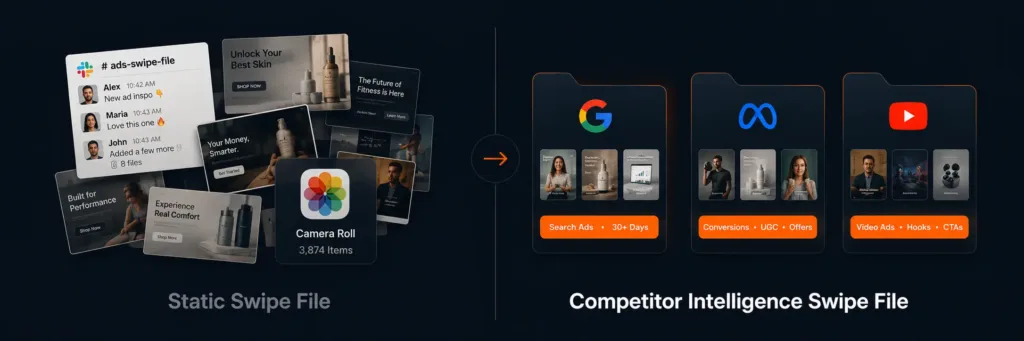
Most creatives and media buyers keep their “swipe file” in a Slack thread, a camera roll, or a folder of screenshots they haven’t opened since last quarter. That’s not a swipe file — it’s an archive of good intentions.
A real swipe file is searchable, curated by platform, and updated before every brief. It’s the difference between staring at a blank doc and walking into a briefing with 20 examples of what your competitors are actually spending budget on right now.
This guide gives you the exact workflow: where to source competitor ads at scale, what to filter for, how to organise what you save, and how to turn that library into campaign briefs that reflect real market intelligence — not gut feel.
360M+
ads searchable
in AdSpyder’s Ad Library across 10 platforms
87%
of research on 3 platforms
Google (50%), Facebook (22%), YouTube (15%) — where to build your swipe file first
~54%
of ads run under 7 days
tested and killed — the noise a date filter removes from your swipe file
43 days
median LinkedIn ad life
the longest of any platform — B2B swipe files need a dedicated section
AdSpyder platform data, May 2026. Ad archive analysis across 24,650 sampled ads (Google Search, Bing, Display, YouTube, Meta, LinkedIn).
Search 360M+ competitor ads. Save to named projects. Brief smarter.
Filter by advertiser domain, date range, and format across 10 platforms.
In This Guide
What Is an Ad Swipe File — and What It Is Not
An ad swipe file is a curated reference library of competitor ads you’d actually use as inspiration for a live brief. The term “swipe” comes from direct-response copywriting — Gary Halbert kept physical folders of proven sales letters so he could study what worked before writing new copy. The same logic applies to paid media: before you brief creative, you look at what’s running and converting in your market.
What it’s not: a collection of ads you saved because they looked good. A swipe file without context — the platform, the advertiser, the reason you saved it — decays fast. Six weeks later you have no idea why that screenshot is in your downloads folder, and you’re briefing from instinct again.
Three things separate a useful swipe file from a digital junk drawer: source quality (are these from competitors actually spending budget?), metadata (do you know the platform, format, hook type?), and freshness (is this from last quarter or last week?).
On curated ad libraries
Sites like adswipefile.com or swiped.co give you a hand-picked set of ads — useful for general inspiration, useless for competitive intelligence. They can’t tell you what your specific competitors are running right now, what’s been live for 30+ days (a signal of profitability), or what ad formats dominate your exact vertical. That’s what a competitor-sourced swipe file does differently.
Why Static Swipe Files Fail Creatives and Media Buyers
The core problem with a folder of screenshots: it has no memory. You don’t know when an ad ran, how long it stayed live, or whether the advertiser kept spending behind it. You’re looking at a frozen moment, not a signal.
There’s a second problem: format bias. Most manual swipe files over-index on whatever the person building them personally finds interesting — usually striking visual creative or clever copy. “Looks good in a folder” and “performed well in market” are completely different filters.
The useful filter is longevity. An ad a competitor ran for 30+ days, or kept cycling for 3+ months, almost certainly has budget behind it because it’s working. AdSpyder’s archive data makes that filter available at scale — and the numbers make the case for using it.
~54%
test-and-kill cohort
of all ads run less than 7 days across platforms we sampled
22%
evergreen cohort
survive 30+ days — the creative that earned its place
43 days
median LinkedIn lifespan
longest of any platform — B2B ads run an order of magnitude longer than B2C
Source: AdSpyder ad archive analysis, 24,650 sampled ads across Google Search, Bing, Display, YouTube, Meta, LinkedIn — AdSpyder platform data, May 2026.
The implication is direct: bias your swipe file toward ads that have been running for 30 days or longer. On most platforms, fewer than 1 in 4 ads survives that long. The ones that do are either proven direct-response performers or core brand-awareness plays — both worth studying before your next brief.
One caveat on longevity as a signal
AdSpyder measures “last seen” dates — an ad’s observed duration is a floor, not the exact run length. An ad still live today shows lastSeen = today. The direction of the signal is reliable; treat specific day counts as a guide, not a guarantee.
Where to Search First: Platform Priority for Your Swipe File
A common mistake: building a swipe file that doesn’t mirror where you actually buy. If 80% of your spend is on Google Search and Meta, a TikTok-heavy swipe file gives you creative inspiration you can’t use — and a false read on your competitive landscape.
AdSpyder’s search logs across 88,000+ competitor ad searches show exactly where practitioners do competitive research. Build your swipe file to match:
| Platform | Share of research | Ads indexed | Best signal for swipe file |
|---|---|---|---|
| Google Search | 50% | 165M+ | Copy hooks, headline patterns, CTA verb |
| Facebook / Instagram | 22% | 55M+ | Visual formats, offer framing, emotional trigger |
| YouTube | 15% | 2.5M+ | Video scripts, pre-roll hooks, brand narrative |
| 2.7% | 860K+ | B2B messaging, evergreen ad patterns | |
| Display / Bing | ~5% | 23M+ | Banner formats, retargeting creative |
| Amazon / TikTok / Twitter | ~1% | 27M+ | Add only if these are active spend channels |
Source: AdSpyder Ad Library search distribution, 88,035 searches — AdSpyder platform data, May 2026.
Google, Facebook, and YouTube account for 87% of all competitive ad research. Build depth on those three first. For B2B, LinkedIn earns its own dedicated section — its 43-day median ad lifespan means the creative that’s still running at 90 days is almost certainly a proven performer.
One more thing the data settles: the format question for Meta. Across AdSpyder’s Meta historical archive of 44 million ads, 88% are static images and 12% are video. A Meta swipe file that’s video-heavy is misrepresenting what actually dominates in that market. Build yours to reflect reality — mostly image, with a dedicated video subsection for Meta, YouTube, and TikTok.
Don’t build swipe file coverage for platforms you don’t buy on
A TikTok swipe file is wasted effort if your budget is on Google and Meta. Add a platform only if it’s in your active media plan — otherwise you’re creating research overhead with zero briefing payoff.
What to Save — and What to Skip
Saving everything is the same as saving nothing. The filter you apply when adding to your swipe file matters more than the sourcing itself.
Save this:
- Ads live 30+ days — longevity is the closest proxy for performance you have without the advertiser’s dashboard.
- Ads from direct competitors in your vertical — not aspirational brands. What your actual competitors run is competitive intelligence; everything else is inspiration.
- Ads using a hook or format you haven’t tested — the point of a swipe file is gap-filling, not validation.
- Multiple variants from the same advertiser — 5–10 ads from one competitor reveals their creative strategy, not just one execution.
- Ads matching the dominant format on your target platform — on Meta, 88% are static images. On YouTube, video leads. Mirror that in your swipe file.
Skip this:
- Award-winning ads from out-of-category brands — inspiring but not directionally useful for your specific briefs.
- Ads live less than 7 days — roughly 54% of all ads are pulled within a week. Tested and killed, not proven.
- Ads saved with no annotation — if you can’t write one sentence on why you saved it, you won’t use it. Context-free saves become clutter within a month.
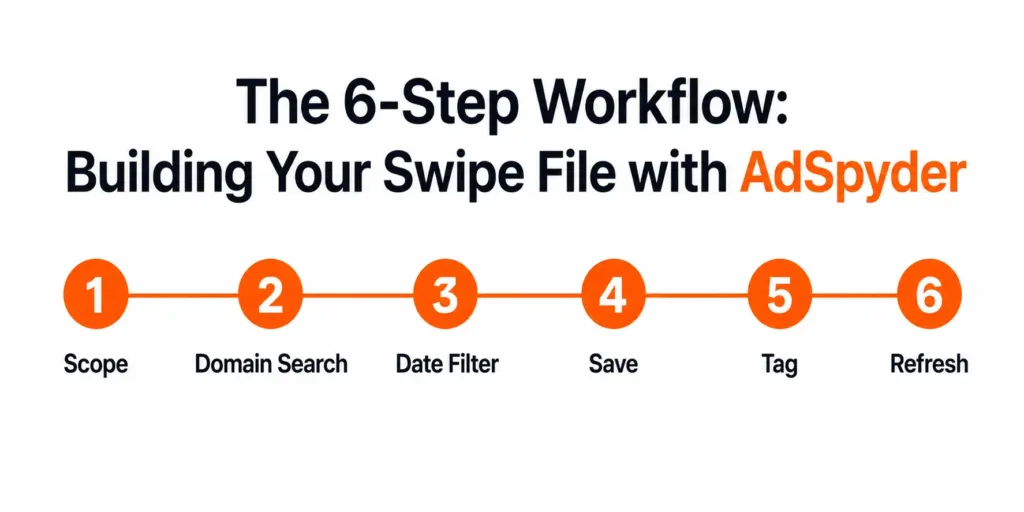
The 6-Step Workflow: Building Your Swipe File with AdSpyder
Define Your Scope Before You Search
Before opening AdSpyder, write down: which 3–5 competitor domains you’re monitoring, which platforms you’re buying on, and what campaign type you’re building creative for (acquisition, retargeting, brand). This takes 10 minutes and prevents a 2-hour scroll that produces nothing usable.
Scope also determines your folder structure later. “Meta — Direct Response — DTC Competitors” is a folder you’ll open. “Ads I liked in May” is not.
Search Competitor Ads by Domain, Not Keyword
In AdSpyder’s Ad Library, search by competitor domain rather than by keyword. Domain search surfaces every ad a specific advertiser has run on a given platform — giving you their creative strategy, not just ads that happen to match a search term.
Start with your top 3 direct competitors on your highest-spend platform. Work platform by platform — don’t try to cover Google, Meta, and YouTube simultaneously on the first pass or you’ll lose track of what you’ve seen.
Filter by Date Range to Isolate Long-Running Ads
Use AdSpyder’s date filters to surface ads active for 30 days or more. This single filter removes most test-and-kill noise — 54% of all ads are pulled within a week. What’s left is the creative a competitor committed budget to.
On Meta, also check the real-time feed. An ad running today AND present across the 90-day window is a reliable signal that the creative is converting right now — not just that it ran once and got pulled.
Save Directly into Named Project Folders
AdSpyder’s dashboard lets you save ads into projects. Don’t use one generic project folder. Create one per platform per campaign type — “Google Search — SaaS Acquisition” and “Meta — DTC Skincare” serve different briefs and shouldn’t share a container.
Across AdSpyder’s active user base, 1,104 projects actively track competitors — monitoring 3,687 competitor domains in total as of May 2026. Named, purpose-specific projects get used. Catch-all folders don’t. (AdSpyder platform data, May 2026)
Tag Every Ad at the Point of Saving
A swipe file you can’t search is a gallery, not a tool. Tag each saved ad with: hook type (pain point / testimonial / comparison / question / benefit), format (image / video / carousel), and a one-line note on why you saved it.
Tagging takes 20 seconds per ad and saves 20 minutes when you need “three examples of comparison ads from direct competitors on Meta, right now.” That 20-second investment compounds every time you brief.
Refresh Before Every Campaign Brief
A swipe file last updated three months ago is working against you. Competitors have launched new creative and tested new angles. You’re briefing against a stale picture. Rule: before any new brief, spend 20–30 minutes in AdSpyder updating the relevant project folder.
For monthly campaigns, do a full refresh at the start of each cycle. For always-on creative, set a reminder every two weeks on your highest-spend platforms. AdSpyder’s Meta real-time index shows what’s live today — not what was live in 2026.
How to Organise Your Swipe File: A Structure That Gets Used
The most common reason a swipe file fails isn’t poor sourcing — it’s poor organisation. You can have 500 great competitor ads saved and still spend 25 minutes looking for the right one.
| Level | Example | Why it matters |
|---|---|---|
| Platform (folder) | Meta / Google Search / YouTube | Never mix platforms — creative logic and format conventions are completely different |
| Campaign type (sub-folder) | Acquisition / Retargeting / Brand | Acquisition and retargeting brief to completely different audiences — keep them separate |
| Hook type (tag) | pain-point / testimonial / comparison | Tags let you filter cross-platform when briefing a specific angle |
| Date saved (tag) | may-2026 / q2-2026 | Compare current competitor creative to what they ran 6 months ago — spot strategic pivots |
Cap your swipe file at 50–80 saved ads per platform folder. More than that means you’ve been collecting, not curating. Periodically delete anything you wouldn’t reference in a real brief.
Keep a hard separation between “competitor intelligence” (what your direct competitors are running, tagged and monitored in AdSpyder projects) and “general creative inspiration” (out-of-category ads you find original). Mixing them makes both less useful.
Activating Your Swipe File in Campaign Briefs
A swipe file that doesn’t feed a brief is a hobby, not a workflow. Here’s how to close the loop.
When briefing new creative, open the relevant swipe file folder and pull 3–5 ads representing the angles your competitors are running. For each one, note: the hook, the primary claim, the offer, and the format. Include those in the brief as “competitive context” — not to copy, but to set direction and surface gaps.
The question that makes a swipe file genuinely useful: “What is every competitor doing that we are not doing?” If five of your competitors use testimonial hooks on Meta and you don’t, that’s either a gap to fill or a deliberate differentiation — but you can only see it when you have the data in front of you.
Swipe file to AI generation
Once you’ve built your swipe file and identified the hooks your competitors use, feed that context into AdSpyder’s Text Ad Generator. AdSpyder’s own platform data shows only 14% of users search competitor ads before generating a text ad — but those who do review an average of 675 competitor ads first. The research-before-generation minority produces more informed first drafts. Your swipe file makes that the default, not the exception. (AdSpyder platform data, May 2026)
For Google Search, your swipe file should inform headline and description patterns. Use Google Ads Spy to see how competitors structure their headline slots — how they handle the offer, urgency, and feature mention. Brief your copywriter with 3–4 competitor examples rather than abstract direction.
For Meta, format matters as much as copy. Use Facebook Ads Spy and Instagram Ads Spy to see whether competitors lead with image or video, and what format proportion looks like in your category. Brief against format, not just copy.
For B2B, use LinkedIn Ad Library to find what’s been running for 30+ days among competitors. Recall that LinkedIn ads have a 43-day median lifespan — anything at 90+ days is either a high-performing evergreen piece or core brand content worth understanding in detail.
Manual vs Intelligence-Led Swipe File: What You Actually Get
| Manual screenshots | Curated library | AdSpyder Ad Library | |
|---|---|---|---|
| Your competitors’ actual ads | Only if you find them manually | No — curated by others | Yes — search by domain |
| Ad longevity signal | No | No | Yes — filter by date range |
| Cross-platform coverage | 1–2 platforms manually | Mainly Meta + TikTok | 10 platforms, 360M+ ads |
| Currently-running ads | Only if you check daily | No — updated by admins | Yes — Meta real-time feed |
| Named project folders | Manual (Notion / Slack) | Favourites only | Yes — projects with tags |
| Historical archive depth | None | Limited | Back to 2008 (Google Search) |
Pre-Brief Swipe File Checklist
Run through this before every campaign brief:
✓
Defined scope: 3–5 competitor domains, target platform, campaign type
✓
Searched Ad Library by competitor domain on your primary platform
✓
Applied the 30+ day date filter to remove test-and-kill noise
✓
Saved at least 5 competitor ads into a named project folder
✓
Tagged each ad with hook type, format, and a one-line note
✓
Identified at least one angle competitors use that your current creative doesn’t
✓
Included 3–5 swipe file examples in the creative brief as competitive context
✓
Set a reminder to refresh the folder before the next brief cycle
AdSpyder Ad Library
360M+ competitor ads. 10 platforms. One swipe file workflow.
Search by competitor domain across Google, Meta, YouTube, LinkedIn, and 6 more platforms. Filter for longevity. Save into organised projects. Brief smarter.
23,000+ users · 10 platforms · 360M+ ads indexed