
Quick Answer
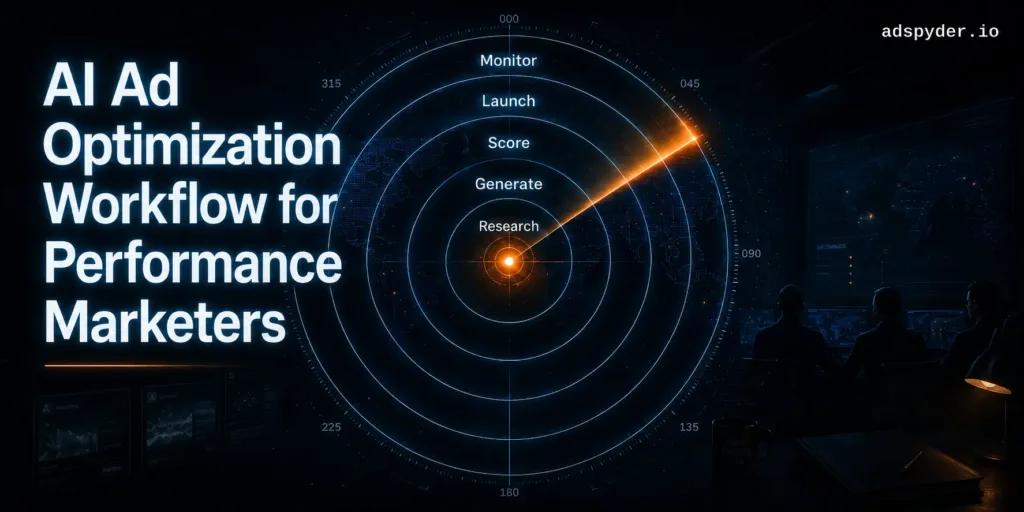
An AI ad optimization workflow for performance marketers runs in five steps: research competitor ads in the Ad Library, generate copy informed by that research, score variants with the Winning Ads AI Agent, launch the shortlisted copies, then monitor competitor domains for signals that should trigger a refresh. AdSpyder platform data (May 2026) shows 85.6% of marketers skip Step 1 entirely — which is exactly why their AI-generated copy sounds generic.
Most performance marketers are running two disconnected processes: competitor research in one tab, ad creation in another, and monitoring in a spreadsheet nobody owns. The result is generic copy, wasted creative cycles, and campaigns that lose to competitors running a smarter playbook.
This guide gives you a five-step AI workflow where every stage feeds the next. Each step maps to a specific AdSpyder feature. What makes this different from every other “AI for ads” post: the numbers below come from AdSpyder’s own production data — 14 months of real usage from 23,000+ registered users, not hypotheticals.
85.6%
of text-ad generators on AdSpyder skipped competitor research entirely before their first generation run
78.6%
of Text Ad Generation runs were paired with Winning Ads scoring — 4 in 5 users use it once they see it
85%+
of all generation runs are direct-response goals: sales, leads, website traffic, app downloads
Source: AdSpyder platform data, May 2026 (usage window: April 2025 – May 2026).
In This Article
Why AI Ad Copy Goes Generic — And What the Data Says
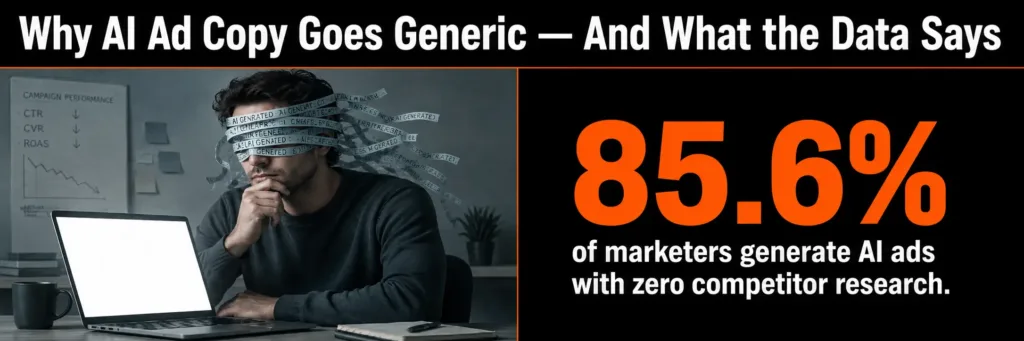
Here’s the core problem. When performance marketers open an AI tool and type “write Google ads for my SaaS product,” the AI has nothing specific to work from. It produces polished, structurally correct copy that sounds like every other ad in your category.
AdSpyder’s own usage data proves this is happening at scale. Of the 1,286 users who generated a text ad on AdSpyder between April 2025 – May 2026:
| User segment | Count | Share |
|---|---|---|
| Generated with zero prior competitor searches | 1,101 | 85.6% |
| Generated first, searched competitor ads only after | 755 | 58.7% |
| Searched competitor ads before generating | 185 | 14.4% |
| Never searched competitor ads at all | 346 | 26.9% |
Source: AdSpyder platform data, May 2026. Text Ad Generation users, April 2025 – May 2026.
The 14.4% who research first are the minority — and they’re the ones using the tool the way it’s designed to work. The five-step workflow below is built around putting that research step first, where it should be.
Note on image ads vs. text ads: The pattern flips for image generation. 62% of image-ad generators on AdSpyder had already searched the Ad Library before their first run — compared to just 14.4% for text ads. Visual work is naturally research-driven. If you’re creating display or social image ads, you’re probably already doing this instinctively. Text PPC teams are the ones most likely skipping it.
Step 1 — Competitor Research (Ad Library)
AdSpyder feature: Ad Library · 10 platforms · 360M+ ads
Before a single word of copy is written, you need to know what’s already running in your market. Not what you think is running — what’s actually live, how long it’s been running, and what angles competitors rotate when one message gets stale.
The AdSpyder Ad Library indexes 360 million+ ads across 10 platforms — Google Search (165M+), Meta Facebook & Instagram (55M+), Google Shopping (95M+), Amazon (21M+), YouTube (2.5M+), LinkedIn (860K+), TikTok (3M+), Bing (5M+), Display (18M+), and Twitter/X. Archive coverage goes back to 2008.
Across 88,000+ Ad Library searches from 6,800+ users, 24% of all searches are URL/domain lookups — the clearest signal of competitor-tracking intent. Another 50% search by keyword or brand name. Fewer than 2% search by CTA phrase, which is a significant missed opportunity: filtering for “free trial” or “shop now” surfaces every competitor testing that exact hook, across 13.7 million Meta ads with a clean CTA value.
What to look for in this step
Competitor domains: search by URL to pull every ad a rival has run. Look at volume and timing — a domain running 3× its usual ad count is usually in a seasonal push or a new budget cycle.
Ad longevity: ads that have run 30+ days weren’t kept live by accident. Someone looked at ROAS and decided to keep paying. Sort by run duration and save the survivors — they are your best data.
Platform gaps: are competitors running Google only, or also Meta and YouTube? A gap on YouTube means lower competition for the same audience on a different surface.
Platform-specific tools: Use Google Ads Spy for 165M+ Search ads, Facebook/Instagram Ads Spy for 55M+ Meta ads (88% image, 12% video in historical archive — but the live feed is 42% video, 30% carousel, 27% single image, so the mix is shifting fast), YouTube Ads Spy, and LinkedIn Ad Library for B2B campaigns.
The output of this step isn’t a swipe file — it’s a brief. You should leave Step 1 with a clear picture of: which hooks are already in market, which CTAs dominate, and which angle no competitor is taking.
Step 2 — AI Generation (Text & Image)
AdSpyder features: Text Ad Generation · Image Ad Generation
You’ve mapped what competitors are running. Now generate copy that’s informed by that context — not invented from scratch.
AdSpyder’s Text Ad Generator accepts your domain URL, brand description, ad goal, seed keywords, target personas (age, gender, occupation), target locations, and language. A standard run produces 15 Google RSA-ready titles and 4 descriptions. Between April 2025 – May 2026, users ran 2,051 Text Ad Generation runs across 1,409 distinct domains — and 56% of those runs were tagged with a sales goal, confirming this is a direct-response workflow first.
2,051
Text Ad Generation runs in 14 months (April 2025 – May 2026)
1,409
distinct domains analyzed through the generator
56%
of all runs tagged “sales” — direct-response dominates
Source: AdSpyder platform data, May 2026.
How to feed competitor research into the generator
Pull your seed keywords directly from the longest-running competitor ads in Step 1. Note the hook patterns you saw — question, stat, urgency — and specify a different one to differentiate. Set your target persona based on who competitors are addressing, then decide whether to match or go after an underserved segment they’re ignoring.
The generator’s ad goal options reflect real usage patterns: sales (56%), website visitors (13%), boost online sales (6%), lead gen (5%), website traffic (4%), app downloads (2%). Pick the one closest to your campaign objective — the output structure changes accordingly.
For image ads: The Image Ad Generator blends stock and AI-generated visuals with your copy. Given that 62% of image-ad generators research competitor ads first (vs. 14% for text), treat the creative brief from Step 1 as essential input here — not optional.
Stop generating ads with no market context
Research 360M+ real competitor ads, generate copy informed by what’s working, score it before you spend. One platform, one loop.
Step 3 — Score & Shortlist (Winning Ads AI Agent)
AdSpyder feature: Winning Ads AI Agent
After generation you typically have 10–15 title variants and 4 descriptions. The question “which ones should we launch?” is where most teams waste time in preference debates or gut-feel decisions. The Winning Ads AI Agent replaces that with a persona-match scoring step before any budget moves.
The agent scores each generated copy variant against your defined target persona — age range, gender, occupation, intent signals — and shortlists the combinations most likely to resonate. You get a ranked output, not a raw pile of copy you have to judge yourself.
What the usage data shows: Over 1,600 Text Ad Generation runs were processed through Winning Ads scoring in 14 months — 78.6% of all generation runs. That adoption rate is the signal: when performance marketers see the scored shortlist, they use it. The step doesn’t add work; it removes the decision that was slowing everything down.
This is the step most standalone AI tools skip entirely. Generating copy is the easy part. Knowing which copy to launch without burning budget on testing every variant is the actual problem the Winning Ads Agent solves — by bringing the persona-fit signal forward, before spend begins.
Step 4 — Launch
Export shortlisted copies and activate with a defined refresh trigger
Once you have a scored shortlist from Step 3, launch is a logistics decision, not a creative one. Export the top-scored title/description combinations and upload to your Google Ads, Meta, or other platform campaign.
Three decisions at this stage will affect how well Step 5 monitoring works:
| Decision | Why it matters for Step 5 |
|---|---|
| Number of variants live | More variants = more data points to compare against competitor movements; fewer = cleaner signal when isolating what changed |
| Campaign naming convention | Consistent naming lets Domain Analysis surface the right competitor signals without manual filtering across accounts |
| Refresh trigger threshold | Define now: at what CTR drop or CPC increase does this campaign send you back to Step 1? Decide before launch, not during a performance crisis |
Start your monitoring clock at launch. The Day-Time Agent and Domain Analysis Agent (Step 5) are most useful when you have a baseline from launch day. Set up your competitor domains in Domain Analysis the moment your campaign goes live — not after you start seeing performance pressure.
Step 5 — Monitor (Domain Analysis Agent + Day-Time Agent)
AdSpyder features: Domain Analysis Agent · Day-Time Agent
Launching is not the end of the workflow — it’s where the intelligence loop begins. Most performance marketers treat post-launch as “wait for data.” The AI workflow treats it as “watch what competitors do next.”
The Domain Analysis Agent tracks competitor domains for shifts in ad volume, estimated CPC, and competing keywords. Across AdSpyder’s platform data, the Domain Analysis feature processed 3,953 queries from 1,590 distinct users across 2,554 competitor domains in 13 months — it’s the most consistently used post-launch intelligence tool in the platform.
What to monitor post-launch
Ad volume shifts: a competitor suddenly running 3× more ads usually means a seasonal push, a new product launch, or a budget reallocation. Either way, it precedes auction pressure on your keywords.
CPC movement: a rising average CPC on competitor domains often signals intent to dominate a keyword cluster before you see it in your own account data.
New keyword entries: a competitor bidding on terms they weren’t on before is an early signal of a messaging shift or product pivot — weeks before their ads start affecting your impressions.
Day-Time Agent: analyzes when competitor ads appear most frequently — surfacing the hours and days when specific advertisers increase activity. Align your pacing and budget scheduling against those windows, not your own assumptions about when your audience is online.
The loop, not the ladder: The signal from Step 5 that sends you back to Step 1 is a competitor ad surviving 30+ days with a new angle you haven’t seen before. That’s the market validating a new creative direction. That’s your cue to research, generate, score, and launch fresh variants. The workflow is a loop — and each cycle produces better output than the last because you’re building on real market intelligence, not starting from zero.
Free AI Prompting vs. The AdSpyder Workflow
A free AI tool can write ad copy. But a performance marketing workflow needs more than output. It needs market context, scoring, platform fit, and monitoring.
| Workflow stage | Free AI (ChatGPT/Gemini etc.) | AdSpyder Workflow |
|---|---|---|
| Research | Depends on what you manually paste in. No real-time competitor ads. | 360M+ competitor ads across 10 platforms. URL/domain search, CTA filtering, longevity sorting. |
| Generation | Generates from a blank context or whatever you paste manually. | Structured inputs: campaign goal, seed keywords, persona, location, language, metadata. |
| Scoring | You judge outputs manually. Usually preference-based, not persona-based. | Winning Ads Agent scores variants against defined target persona. Ranked shortlist output. |
| Launch structure | Often all outputs go live unstructured — no defined test logic. | Scored shortlist provides a defined test set. One variable per test, not everything at once. |
| Monitoring | Ends at generation. No competitor visibility post-launch. | Domain Analysis and Day-Time Agent track competitor activity after launch and feed the next cycle. |
4 Mistakes That Break the AI Workflow
Mistake 1 — Generating before researching (85.6% of users do this)
The data is clear: the vast majority of text-ad generators on AdSpyder skip competitor research entirely. The result is copy that could come from any AI tool — because it did. The Ad Library is what makes your generator output specific to your market. Skip it and you’re just producing faster versions of the same generic ads you could write by hand.
Mistake 2 — Picking copy by preference instead of persona score
When the team picks their favourite headlines, you end up launching the option with the most internal votes, not the one most likely to convert your target persona. The Winning Ads Agent exists specifically to remove this dynamic. 78.6% of generation runs use the scoring step — those users are no longer making this mistake. The 21.4% who skip scoring still are.
Mistake 3 — Monitoring your account but not your competitors
Most teams watch CTR, CPC, and ROAS inside their own account. What they don’t see is that a competitor doubled their ad spend on three of your core keywords last week — which is why your CPC went up. Domain Analysis tells you what your own account data can’t. By the time you see the performance impact in your numbers, the competitor move is already a week old.
Mistake 4 — Treating the workflow as a one-time launch process
The five steps aren’t a checklist you run once at campaign launch. They’re a loop. Monitoring (Step 5) feeds Research (Step 1) every time a competitor changes direction. Performance marketers who build this as a recurring operating rhythm — not a pre-launch task — are the ones whose creative quality compounds over time instead of decaying.
Pre-Launch Checklist for the AI Workflow
Run through this before activating any campaign built on this workflow:
Frequently Asked Questions
What is an AI ad optimization workflow?
An AI ad optimization workflow is a structured process that uses AI tools to research competitor ads, generate context-informed copy, score that copy against your target persona, launch the best variants, and monitor competitor activity post-launch. It replaces manual guesswork with data-backed decisions at each stage — and it loops back to research every time the competitive landscape changes.
Should performance marketers research competitors before generating AI ad copy?
Yes — and AdSpyder’s own platform data shows 85.6% don’t. Users who generate text ads without prior competitor research are feeding the AI a blank context. The output will be structurally correct but creatively generic. Researching first gives the generator real market inputs: proven hooks, CTA language, persona angles, and the gaps competitors are leaving open.
What does the Winning Ads AI Agent actually do?
It scores generated ad copy variants against your defined target persona — age, gender, occupation, and intent signals — and shortlists the combinations most likely to resonate. The output is a ranked shortlist, not a raw pile of options. It removes the “let’s all vote for our favourite headline” dynamic and replaces it with a persona-fit signal generated before any budget is spent. 78.6% of AdSpyder text-ad generation runs use it, which means most users who see it adopt it immediately.
How is this different from using ChatGPT to write ads?
ChatGPT generates copy from a blank context. AdSpyder’s workflow starts with 360 million+ real competitor ads — what they say, what CTAs they use, how long each creative survives — then generates copy informed by that research, then scores it against your persona. That’s three stages a standalone LLM skips entirely. The output isn’t “what sounds good to the AI” — it’s “what’s already surviving in your market, applied to your brand.”
What platforms does AdSpyder cover for competitor research?
AdSpyder indexes 360 million+ ads from 10 platforms: Google Search (165M+), Google Shopping (95M+), Meta Facebook & Instagram (55M+), Amazon (21M+), Display (18M+), Bing (5M+), TikTok (3M+), YouTube (2.5M+), LinkedIn (860K+), and Twitter/X. Coverage goes back to 2008 for Google Search and 2018 for most other platforms.
Is this workflow useful for agencies managing multiple clients?
Yes. Agencies get the most value from steps 1 and 5. The Ad Library research step applies equally to every client — you’re researching each client’s category, not just one market. The Domain Analysis Agent can monitor competitor domains across multiple client verticals simultaneously. And the Winning Ads scoring step removes internal subjective debates on copy review, which speeds up the approval cycle significantly.
Start the Workflow Today
Research → Generate → Score → Launch → Monitor
360 million+ ads indexed across 10 platforms. One workflow. Built for performance marketers who need to move faster than their competitors — with data, not guesswork.
Explore the Winning Ads AI Agent →
23,000+ registered users · 10 platforms · 100+ countries · AdSpyder platform data, May 2026