
AdGenie · image ads in every size
AdSpyder Image Ad Generation: Create image ads in every size, without a designer
Add your product and offer, and AdGenie lays out image ads for Facebook, Instagram, LinkedIn, Reddit and display, guided by the visuals that already run in your category.
Based on 18 winning creatives
1:1Vitamin C Serum. 20% off your first order.Shop now
9:16Your routine, upgradedTry now
Illustrative sample · uses only the facts you enterSave and export
1B+ad creatives to learn from
4sizes from one idea
15+ad platforms
100+countries
Image ad builder
Design once, export every size
Format
Style
Headline
Your brandproduct shotVitamin C Serum. 20% off your first order.Shop now
Square · 1080 × 1080 px · Illustrative sample
Formats
The sizes each placement expects
Square · 1080 × 1080
Facebook and Instagram feeds, carousels and most marketplaces.
Portrait · 1080 × 1350
4:5 feed ads that take more of the mobile screen.
Story · 1080 × 1920
9:16 for Stories and Reels, with text kept clear of the top and bottom.
Landscape · 1200 × 628
1.91:1 for link ads, LinkedIn single-image ads and Reddit.
Display banners
Standard sizes such as 300 × 250, 728 × 90 and 160 × 600 for display networks.
Readable at a glance
Short headline, one product, one CTA: layouts that work at thumbnail size.
How AdGenie designs
Visual patterns in, your creatives out
1 · Winning ads in your category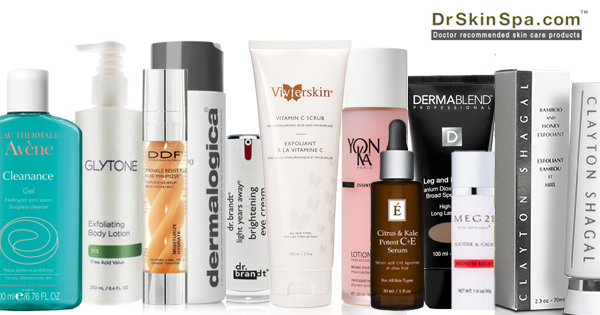 Over 6000 Brand names Skincare and Cosmetic Products. 20% Off with code vip. Free Shipping and Free Samples..20% OFF Site-wide. Free Shipping · MetaRan 2919 days
 High tech and innovative formulas for all types of skin concerns. All our skincare products are completely vegan, cruelty-free…Hello Glow · InstagramLive 2144 days
 Jack Black®, the #1 men’s skincare brand*, creates superior, advanced skincare for men including shaving creams, moisturizers, grooming…Jack Black® | Authentic & Original · YouTubeRan 655 days
Over 6000 Brand names Skincare and Cosmetic Products. 20% Off with code vip. Free Shipping and Free Samples..20% OFF Site-wide. Free Shipping · MetaRan 2919 daysHigh tech and innovative formulas for all types of skin concerns. All our skincare products are completely vegan, cruelty-free…Hello Glow · InstagramLive 2144 daysJack Black®, the #1 men’s skincare brand*, creates superior, advanced skincare for men including shaving creams, moisturizers, grooming…Jack Black® | Authentic & Original · YouTubeRan 655 days2 · Angles found
Product close-up42%
Ingredient-led31%
Lifestyle22%
3 · Your drafts
Square · product close-up · “Vitamin C Serum. 20% off.”
Story · ingredient-led · “Brighter skin starts here”
Landscape · lifestyle · “Your routine, upgraded”
Winning ads: real ads from the AdSpyder library. Angles and drafts: illustrative sample. AdGenie reuses layout patterns, never another brand’s images or logos.
A smarter way to design
Everything you need to launch creative that sells
AI-powered design engine
Layouts shaped by top-performing ads in your category.
Customizable templates
Starting points for Google, Facebook, LinkedIn, Reddit and display.
Design intelligence
Layout, font and image suggestions for your ad type and goal.
A/B-ready variants
Several design versions for testing with one click.
Creative editing tools
Tweak visuals, CTAs and copy in a drag-and-drop editor.
Real-time preview
See how each ad will look before you download.
How to use the image ad generator
- 1
Choose a goal
Campaign goal, audience and ad type
- 2
Customize
Edit a suggested layout with the drag-and-drop builder
- 3
Preview
Check every size and tweak the headline or colors
- 4
Download
Export the sizes each platform needs
Guide
What is an image ad generator?
An image ad generator turns your product, message and brand colors into finished ad creatives without design software. AdSpyder’s version first studies the image ads running in your category, so layouts follow patterns that advertisers keep paying for.
Pair each creative with copy from text ad generation, or start at Ad Generation for both.
Aspect ratio
The shape of an ad, such as 1:1, 4:5, 9:16 or 1.91:1. Each placement prefers one.
Safe zone
The area of a Story or Reel kept free of text so app buttons do not cover it.
Visual hierarchy
The order the eye reads an ad: usually product, headline, then button.
Creative refresh
Swapping in new visuals before an audience tires of the old ones.
Join 30K+ SMEs already using AdSpyder
What marketers say
“It’s a perfect tool to analyze your competitor ads. It provides structure to a new business without controlling it.”
“AdSpyder became a selling point for my agency. We can quickly analyze and run the campaigns accordingly.”
“Never thought this type of service exists in the market. It can automate strategy & planning for your business.”
Questions about Image Ad Generation
AdSpyder uses AI to help users create image ads optimized for platforms like Facebook, LinkedIn, Reddit, and Google Display.
Yes, we offer pre-optimized templates and dimensions for both.
Absolutely. You can choose promotional or product-specific ad types during setup.
Our engine references high-performing visual patterns and matches them to your inputs.
We blend real ad data with intuitive creation tools to deliver studio-level output—no design skills needed.
Yes, every ad can be previewed in full fidelity, platform-specific formats.
Ad Creation, Redefined: Where Imagination Meets Reality – Powered by AdSpyder’s AI
Visual content catches attention and drives engagement. Image ads in particular are one of the most effective ways to put a product in front of people scrolling a feed. AdSpyder’s Image Ad Generation helps you create those ads quickly, without a designer, and grounds every layout in what already works.
What is AdSpyder’s Image Ad Generation?
AdSpyder’s Image Ad Generation automates the design of image-based ads. It combines AI with analysis of successful image ads across platforms and industries in AdSpyder’s library, then produces creatives that look good and follow proven structure: a clear product shot, a short headline and a single call to action.
Why is AdSpyder’s Image Ad Generation useful?
- Efficient design process: designing image ads from scratch takes time and specialist skills. Generating them lets you launch more campaigns with the same team.
- Data-driven creativity: layouts are informed by image ads that advertisers keep running, not by guesswork.
- Consistent branding: keep your colors, logo and tone consistent across every size and platform.
- Scalability: create variants for different audience segments and placements as your program grows.
- Personalization: adapt the product, message and offer for each audience.
How it enhances your digital marketing
A simpler workflow. Enter your campaign goal and audience, and the tool suggests ready-to-edit image ads. No design software, no back-and-forth with an agency.
Data-driven design. See what competitors run first: the Instagram Ads Spy and Facebook Ads Spy show the creatives in your market, and AdGenie builds on the patterns — never their images or logos.
A/B testing. Create several versions of an image ad with different headlines, colors or product shots, then test them to find the strongest.
Cross-platform compatibility. Social feeds, Stories, display networks and search placements each want different sizes. Export each ad in the sizes its platform expects.
Creative control. Set the style, color scheme and message yourself; automation handles the layout within those choices.
Image ad sizes at a glance
| Format | Size (px) | Typical placements |
|---|---|---|
| Square 1:1 | 1080 × 1080 | Facebook and Instagram feed, carousels |
| Portrait 4:5 | 1080 × 1350 | Mobile feed ads |
| Story 9:16 | 1080 × 1920 | Instagram and Facebook Stories, Reels |
| Landscape 1.91:1 | 1200 × 628 | Link ads, LinkedIn, Reddit |
| Display | 300 × 250, 728 × 90, 160 × 600 | Google Display and other networks |
Tips for image ads that get noticed
- One product, one message. Thumbnails are small. A single product shot and a headline of a few words read faster than a collage.
- Lead with the offer or the outcome. “20% off your first order” or “Brighter skin starts here” tells people why to stop scrolling.
- Keep text off the edges. In Stories and Reels, app buttons cover the top and bottom of the screen, so place copy in the middle of the frame.
- Use contrast, not clutter. A bold brand color behind a clean product photo stands out in a busy feed.
- Refresh regularly. Rotate new colors, headlines and product angles before results drop, and keep the versions that win.
- Match the landing page. The page behind the ad should show the same product and offer, so the click feels like a continuation.
Salient features
- AI-powered design: layouts based on successful image ads.
- Customizable templates: starting points for each platform and campaign goal.
- Design suggestions: layout, font and image ideas for your ad type.
- Multiple variants: ready for A/B testing.
- Real-time preview and download: check every size before you export.
Conclusion
AdSpyder’s Image Ad Generation lets marketers produce professional image ads quickly, keep them on brand and test more ideas. Start with a 7-day free trial with 100 credits and no credit card — it ends after 7 days or when the credits run out — or see the pricing page.
See also: Ad Generation · Text Ad Generation · Ad Library · TikTok Ad Library · Pricing
Your next creative, in every size
Square, portrait, story and landscape from one idea. Start with a 7-day free trial with 100 credits, no credit card.
The trial ends after 7 days or when the 100 credits run out, whichever comes first. Paid plans come with a 7-day refund.
AdSpyder Chrome extensionInstant domain and ad analysis from your browser · rated 4.3 out of 5Add to Chrome, free →