Quick Answer
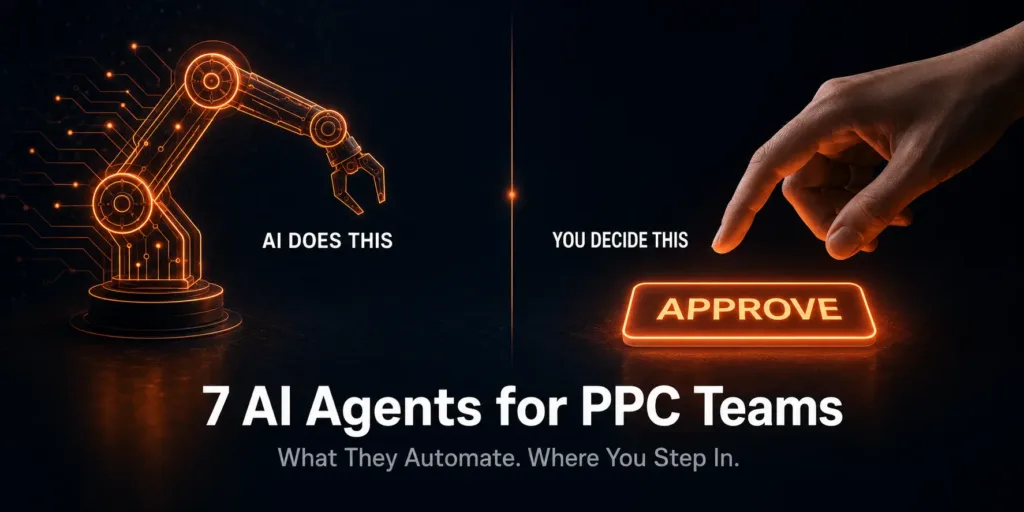
AdSpyder’s 7 AI Agents automate competitive ad research, copy scoring, keyword discovery, campaign optimization recommendations, search-term cleanup, ad-group flagging, and day/time scheduling analysis. None of them push changes to your live account without your approval — every optimization goes through a human review step first. The human role shifts from doing execution work to approving it. See the full breakdown at AdSpyder’s AI Agent suite. Source: AdSpyder platform data, May 2026.
Every PPC tool right now is calling itself an “AI agent.” Most of them mean a smarter script. A few mean something that can genuinely replace a task you currently spend hours on. Almost none of them are honest about where the machine stops and where you need to step back in.
This blog covers AdSpyder’s seven named AI Agents — what each one actually does, what data it draws from, and exactly where the human approval gate sits. If a feature is “coming soon,” it is labelled that way. If a number is a marketing estimate, it is credited as one.
If you manage PPC at an agency or in-house and want a clear answer to “what is worth adopting in 2026,” this is the breakdown.
1,613
ad sets scored by Winning Ads Agent
78.6% of all generation runs used scoring
2,554
competitor domains analyzed
via Domain Analysis Agent, 3,953 total queries
139k+
AI keyword suggestions generated
across user projects on the platform
Source: AdSpyder platform data, May 2026. Telemetry window: April 2025 – May 2026.
See what 7 AI agents can do for your campaigns
Research, generate, score, optimize, and monitor — all in one platform. Connect your Google Ads account and start with a real campaign.
In This Article
What “AI Agent” Actually Means in PPC — and Why the Distinction Matters
The practical test that separates real agents from rebranded scripts
A PPC “rule” fires when conditions are met. A “script” runs predefined logic you wrote. An “AI agent” is different: it perceives a live state — your campaign performance, competitor ad activity, search-term data — makes a decision about what to do next, and surfaces a recommendation or queues an action for your approval.
The practical test: does it use live data to produce a context-specific recommendation, or does it apply a static rule you pre-configured? If it’s the former, it has a credible claim to the “agent” label. If it’s the latter, it’s automation with a rebrand.
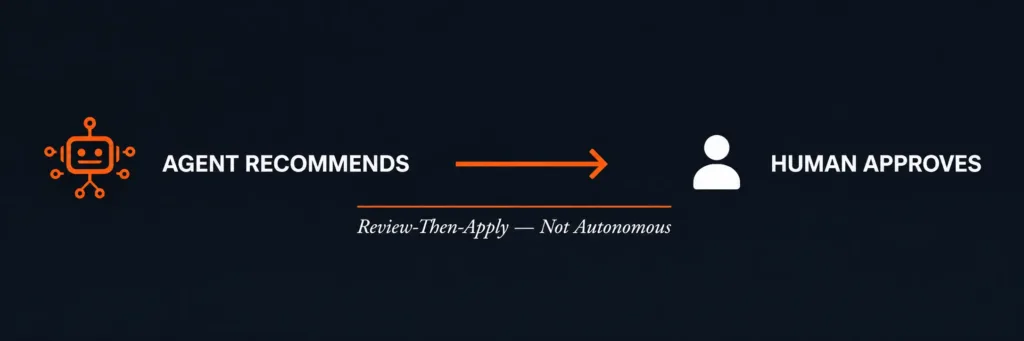
AdSpyder’s agents pull from a live ad archive of 360 million+ ads across 15+ platforms, connect to live Google Ads accounts via OAuth, and surface context-specific outputs. But — and this is the part the marketing copy usually omits — they are all review-then-apply, not autonomous. The product UI explicitly says: “Review and customize the suggested optimizations before applying them to your campaign.” That is a design choice, and it is the right one for a tool handling live ad spend.
The honest framing
AI agents in PPC shift your job from doing the execution work to approving the execution work. The approval step is not optional — and for campaigns with real budget, you would not want it to be.
AdSpyder’s 7 AI Agents: What Each One Automates — and Where It Stops
Per-agent capability breakdown with production data and honest human-gate callouts
Each agent below is named, live-status confirmed, and described against what the product actually does — not the marketing summary. Where telemetry exists, it is cited with source and date. Where a stat is a marketing estimate, it is labelled as one.
Winning Ads AI Agent
Scans millions of ads across 15+ platforms, identifies the highest-performing ads in your niche, then scores your generated ad copies against your target personas. It produces a shortlisted set of your strongest variants. It does not launch them.
Production usage
1,613
ad sets scored — 78.6% of all generation runs
Time saved (AdSpyder estimate)
~20 hrs
per month vs manual agency research
Human still needed for
Final brand-voice review on the shortlisted copies. Picking which 1–2 to launch. Approving claims in regulated categories (finance, health, legal).
Day/Time Optimization AI Agent Google: Live · Meta: Coming Soon
Renders a 24h x 7d performance heatmap showing when your ads perform best and when competitors go quiet. Surfaces scheduling recommendations across four optimization goals: maximum conversions, maximum clicks, reduced CPC, or increased impressions.
ROI estimate (AdSpyder)
10x
from timing optimization alone
Human still needed for
Deciding whether a day/time pattern reflects real audience behavior or a budget-pacing artifact. Sign-off on schedule changes before they apply to a live account.
Ad Group Optimization AI Agent
Identifies ad groups underperforming against benchmark and surfaces specific fixes — which to pause, which to reallocate budget toward, what structural changes will move the needle. Connects to live Google Ads.
CTR improvement (AdSpyder estimate)
40%
average improvement after applying recommendations
Human still needed for
Validating that “underperforming” matches your actual objective — a low-CTR ad group can still be your highest-ROAS one. Approving pause and restart decisions.
Campaign Optimization AI Agent
Reviews entire campaigns and recommends specific changes to improve ROAS. Connects to your live Google Ads account via OAuth. Surfaces a change set in AdSpyder’s review UI — you inspect and customize, then apply with one click. The agent does not push changes autonomously.
How the apply flow works
Agent generates recommendations → you review in the ChangesPopup → you approve → AdSpyder applies to your live account. The product UI says it explicitly: “Review and customize the suggested optimizations before applying them to your campaign.”
ROAS improvement (AdSpyder estimate)
2.3x
average after applying campaign recommendations
Human still needed for
The final approval click. Strategy-level decisions the agent cannot make — shifting an entire campaign objective, account-wide budget reallocation, brand-voice review on any recommended new copy.
Search Term Optimization AI Agent
Finds search terms consuming budget without converting (negative-keyword candidates) and surfaces high-intent terms your competitors are not bidding on. Both run against your live Google Ads data via OAuth and apply to your account on your approval.
Waste reduction (AdSpyder estimate)
25%
of search budget recovered after cleanup
Human still needed for
Confirming a “wasteful” search term is not actually a brand-defense play. Final negative-keyword list approval before it goes live.
Keyword Analysis AI Agent
Runs deep analysis on keyword intent, competition level, and estimated profitability across platforms. Surfaces keyword suggestions ranked by opportunity. Draws from a keyword database of 377 million+ keywords with performance metrics across platforms.
Keyword suggestions generated
139k+
across user projects
High-intent keywords per pass (est.)
500+
AdSpyder estimate
Human still needed for
Match-type assignment (broad/phrase/exact) for every surfaced keyword. Bid-cap decisions. Choosing which keywords align with business objectives vs just traffic volume.
Domain Analysis AI Agent
Pulls complete competitive intelligence on any domain — their active ads, estimated traffic, top keywords, landing page strategy, and ad spend signals. Connects to AdSpyder’s Ad Library of 360 million+ ads across 15+ platforms.
Distinct users
1,590
have analyzed competitor domains
Domains analyzed
2,554
via 3,953 queries since launch
Source: AdSpyder platform data, May 2026
Human still needed for
Choosing which competitor to dig deeper on. Interpreting whether a competitor’s strategy makes sense to copy given your own brand context and margin structure.
All 7 Agents at a Glance: What They Handle and What They Don’t
The complete capability and human-gate reference table
| Agent | Automates this | Human gate | Live account? |
|---|---|---|---|
| Winning Ads | Competitor ad scanning + copy scoring + shortlisting | Brand voice review, launch decision | No (research layer) |
| Day/Time Optimization | Performance heatmap + scheduling recommendations | Schedule change approval | Google: Yes · Meta: Soon |
| Ad Group Optimization | Underperformer detection + fix recommendations | Objective validation, pause approvals | Yes (Google Ads) |
| Campaign Optimization | Full campaign ROAS review + change-set generation | Final apply click + strategy decisions | Yes (Google, Meta, LinkedIn, Amazon) |
| Search Term Optimization | Wasteful-term detection + hidden-gem discovery | Negative-keyword list sign-off | Yes (Google Ads) |
| Keyword Analysis | Intent/competition scoring + opportunity ranking | Match-type assignment, bid caps | Research layer |
| Domain Analysis | Full competitor domain intelligence (ads, keywords, LPs) | Which competitor to focus on; strategy interpretation | No (intelligence layer) |
What AI Agents Never Decide — The Permanent Human List
Six decision types that stay with the PPC manager regardless of which agents you run
Every agent in this stack has at least one hard stop. These are the decisions that remain yours regardless of automation level:
Brand voice and copy approval
Winning Ads shortlists copies. It does not know your brand voice, legal constraints, or competitive positioning. You read, edit, and approve before launch.
Account-level strategy
Should this campaign exist at all? Is this the right objective? Should budget shift from Search to Performance Max? These are judgment calls no agent makes.
Match types and bid caps
The Keyword Agent surfaces 500+ high-intent keywords per pass. Whether they go in as exact, phrase, or broad — and at what max CPC — is a strategy decision, not a lookup.
Competitor intelligence interpretation
Domain Analysis tells you what a competitor is doing. It cannot tell you whether that strategy makes sense for your brand, margin structure, or audience.
Regulated-category review
Finance, health, legal, gambling, alcohol — claims in these categories need a human compliance review before any copy goes live, regardless of scoring output.
The final apply click
Campaign Optimization connects to your live account. Every change waits for your review and one-click approval. No agent pushes to a live campaign without you seeing it first.
The practical takeaway
Think of the 7 agents as a team of very fast analysts. They research, score, flag, and prepare. You review and sign off. The time saving is real. The “set it and forget it” promise is not.
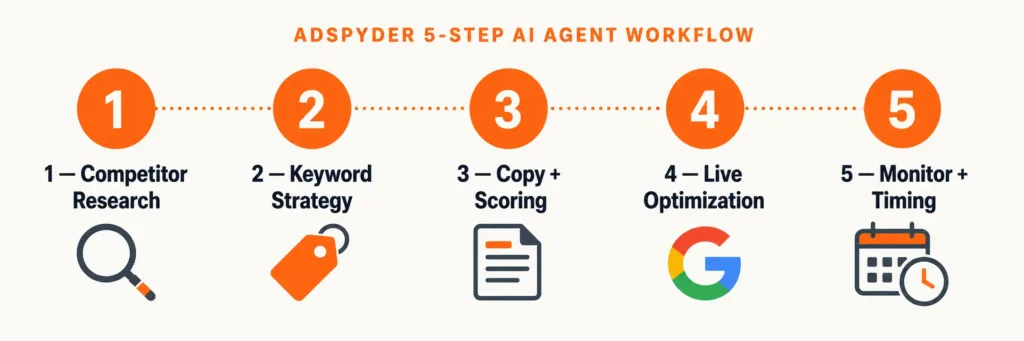
The 5-Step AI Agent Workflow for PPC Teams
How a PPC manager at an agency or in-house team uses all 7 agents in sequence
The goal is not to replace your workflow. It is to compress the parts that eat hours — competitive research, keyword triage, ad group audits — so you spend more time on decisions that actually require judgment.
Competitive research — Winning Ads Agent + Domain Analysis Agent
Before writing copy, run the Domain Analysis Agent on your top 3 competitors. See their active ads, spend signals, and top keywords. Use Winning Ads to scan your niche’s Ad Library for the formats and messages that have been running longest — ad longevity is the closest proxy available for “this worked.” Human task: decide which competitor strategy is worth responding to.
Keyword strategy — Keyword Analysis Agent
Feed the agent your brand domain and target objective. It surfaces high-intent, lower-competition keywords sorted by opportunity. AdSpyder’s keyword intelligence has generated 139,000+ AI keyword suggestions across user projects (AdSpyder platform data, May 2026). Human task: assign match types and set bid caps for every keyword you adopt.
Copy generation and scoring — Winning Ads Agent
Run Text Ad Generation with your brand context, target personas, and ad goal. Winning Ads scoring fires on 78.6% of all generation runs — it evaluates each copy against your persona profile and shortlists the strongest variants. Human task: read the shortlist, apply brand voice, and pick your launch set.
Live campaign optimization — Campaign, Ad Group, and Search Term Agents
Connect your Google Ads account via OAuth. The Campaign Optimization Agent reviews your ROAS structure and queues a change set. Ad Group flags underperformers. Search Term surfaces negative-keyword candidates and untapped terms. All three go through the same review flow: you see the changes, customize if needed, apply with one click. Human task: the approve step — always.
Timing and ongoing monitoring — Day/Time Agent + Domain Analysis
Use the Day/Time Agent heatmap to find when your audience converts best and when competitors go quiet. Set scheduling preferences against your target goal. Run Domain Analysis on a cadence — weekly or monthly per competitor tier — to catch strategic shifts before they hit your metrics. Human task: interpret whether heatmap patterns reflect audience behavior or a budget-pacing artifact before acting on them.
4 AI PPC Automation Mistakes to Avoid
Automating before defining the campaign goal
An AI agent cannot optimize properly if the team has not clarified whether the campaign is built for leads, sales, trials, app installs, or remarketing. The optimization signal is meaningless without a defined goal to optimize toward.
Treating competitor ads as a copy-paste template
Competitor data shows what is active in the market. It does not prove the same message will work for your audience, offer, or landing page. The right move is to extract the pattern — the underlying buyer problem — and generate original copy around it.
Applying negative keywords without context
Some low-converting search terms are still useful for brand defense, research queries, or assisted conversions. Review before excluding — the Search Term Agent flags candidates, not confirmed exclusions.
Letting AI decide claims in regulated categories
AI can suggest ad copy, but claims around pricing, guarantees, savings, health, finance, or legal categories need human review regardless of how good the persona-match score is.
Pre-Launch Checklist: Before You Use AI Agents on a Live Account
Your competitors are using AI agents. Your campaigns are the gap.
AdSpyder’s 7 AI Agents connect to your live Google Ads account, scan 360 million+ competitor ads, and surface ready-to-apply optimizations — all with your approval at every step. See the full suite at Campaign Optimisation AI Agent.
23,000+ registered users · 360M+ ads indexed · 15+ platforms · AdSpyder platform data, May 2026
Frequently Asked Questions
All production usage statistics sourced from AdSpyder platform data, May 2026. Marketing estimate figures (ROI, ROAS improvement, CTR improvement, waste reduction, time saved) are published on AdSpyder’s Plans page and reflect AdSpyder’s estimates, not independently verified outcomes.