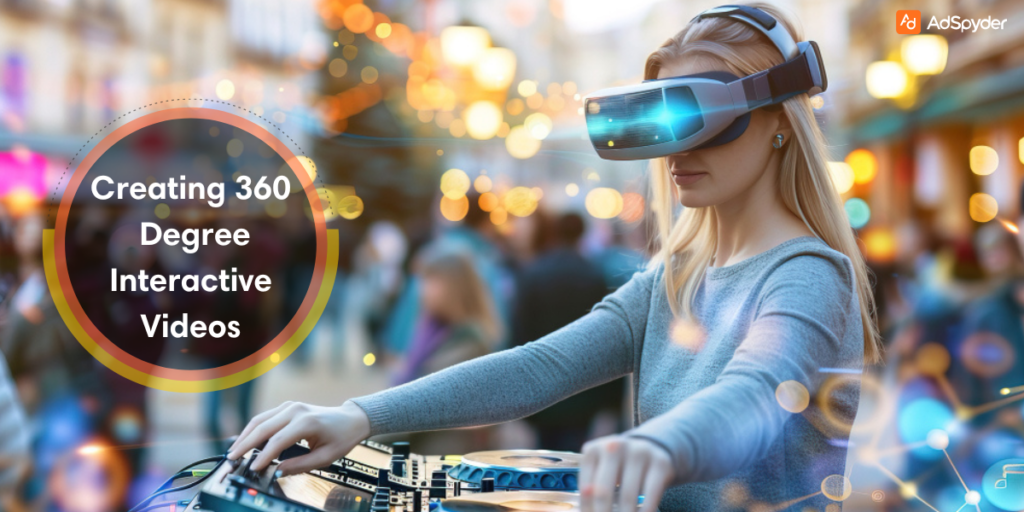
Scroll-stopping video used to mean “better editing.” In 2026, it increasingly means participation. That’s why 360 Degree Interactive Videos creation is back in focus—especially when you pair immersive footage with interactive 360 video production elements like hotspots, branching, overlays, and in-video CTAs. Instead of watching passively, viewers explore, click, and choose what to do next.
This guide breaks down creating 360 degree interactive videos step-by-step: planning, shooting, editing, adding interactivity, publishing across platforms, and measuring results. If you’ve ever asked how to make 360 interactive videos or how to make interactive VR videos without turning it into a months-long production, you’re in the right place.
What is 360 Degree Interactive Videos?
A 360-degree video is recorded in every direction (full sphere), so viewers can look around the scene. Interactive 360 video production adds clickable or tappable layers—hotspots, buttons, branching paths, quizzes, product pins, or navigation—so viewers can do something inside the video, not just watch it.
- 360 video = immersive viewing (look around).
- Interactive 360 = immersive viewing + actions (click/tap/choose/learn/buy).
- Interactive VR video = interactive 360 optimized for headsets and controllers.
In practice, interactive 360 works best when it has a clear job: drive exploration, teach a concept, guide a virtual tour, or nudge the next step (signup, booking, add-to-cart).
Why 360 Degree Interactive Videos Work for Marketing
Interactivity increases attention because it turns viewers into participants. Done right, it also improves message clarity—people discover the “why” at their own pace, and you can guide them with hotspots and overlays.
- Virtual tours: show rooms, stores, showrooms, campuses, events.
- Education & training: scenario-based learning, safety, onboarding, product training.
- High-consideration products: interactive demos reduce uncertainty and increase confidence.
- Storytelling with choices: branching paths make content feel personal.
If you’re building immersive tours for property or new developments, the playbook from video marketing in real estate maps perfectly: show context, guide discovery, and reduce friction with clear next steps.
Key Statistics for Interactive 360 Degree Video (quick snapshot)
Workflow: plan → shoot → add interactivity → publish
If you want to know how to make interactive VR videos (or web-based interactive 360), treat it like a system. Here’s the durable workflow that keeps projects from spiraling:
| Phase | What you produce | Outcome |
|---|---|---|
| Pre-production | Storyboard + “interaction map” (hotspots/choices) | Clear plan, fewer reshoots |
| Production | 360 footage + spatial audio + clean plates | High-quality raw material |
| Post-production | Stitching + edit + color + sound | Comfortable viewing experience |
| Interactivity layer | Hotspots, overlays, branching, quizzes | Participation + measurable actions |
| Publish + measure | Embed + analytics + iteration | Continuous improvement |
Notice what’s missing: “wing it.” The fastest way to improve results is to design the interaction moments before you shoot.
Pre-Production for 360 Degree Interactive Videos Creation
The biggest difference between a “cool demo” and a campaign asset is planning. Pre-production answers: What do viewers explore? What do they click? What happens next?
1) Start with a single goal (one outcome)
Pick one primary outcome: collect a lead, drive a booking, educate, or push people to a product page. Your interactivity should support that outcome—not distract from it.
2) Write an “interaction map” (not just a script)
A normal script describes what happens. An interaction map describes what the viewer can do. Example: “Look left to discover Product A” → hotspot opens details → CTA appears at 15 seconds.
- Scene: where is the viewer standing?
- Exploration points: 3–6 hotspots max (start small).
- Information layer: text, image, mini-video, or audio?
- Choice point: what can they choose next?
- CTA: what action should happen after exploration?
3) Plan “comfort” (motion + attention)
Keep camera movement slow, avoid sudden spins, and design hotspots where the viewer naturally looks. If you’re adding interactive challenges, borrowing patterns from gamification in advertising helps: make the action simple, rewarding, and easy to repeat.
Production: How to Shoot for 360 Degree Interactive Videos
The shooting phase is where most 360 projects fail—usually because of camera placement, stitching issues, or messy audio. These tips keep you safe.
1) Camera placement: choose the viewer’s “body”
In 360, the camera is the viewer. Place it at natural eye height for tours. For product demos, place it where the action happens, but far enough to avoid distortion.
2) Lighting: make the whole sphere readable
Lighting isn’t just “make it bright.” In 360, you’re lighting a full environment. Avoid harsh hotspots and dark corners because viewers will look everywhere.
3) Audio: treat it as navigation
Spatial audio is a superpower: it can nudge attention (“the sound is over there”) and increase immersion. Record clean dialogue and environment sound separately when possible.
4) Capture BTS content for distribution
Interactive 360 is easier to market when you also capture short behind-the-scenes clips: setup shots, camera rig explanations, location reveals, and teaser moments. These BTS videos become your trailer content for Reels, Shorts, and Stories.
Post-Production + Adding Interactivity in 360 Degree Interactive Videos

This is where your raw footage becomes a smooth, navigable experience. Focus on three layers: (1) stitching and stabilization, (2) story pacing, (3) interactive overlays.
1) Stitching and stabilization
Stitching combines multiple lenses into a seamless sphere. Your goal is to remove visible seams, mismatched exposure, and warped edges—especially near the camera rig.
- Match exposure across lenses (avoid “bright wedge” seams).
- Avoid placing key objects directly on stitch lines.
- Stabilize gently—over-stabilization can feel unnatural in VR.
- Test on mobile and headset early (comfort issues show up fast).
2) Edit for exploration (short scenes, clear cues)
In standard video, you control the frame. In 360, the viewer controls the frame—so your editing must support discovery. Keep scenes short (so people don’t get lost), use audio cues, and introduce hotspots when the viewer has time to notice them.
3) Add interactivity: hotspots, overlays, branching
This is the moment your “interaction map” becomes real. Start with a simple layer: hotspots for exploration + one clear CTA. Then expand into branching paths or quizzes.
- Click-to-reveal hotspots: product details, feature callouts, pricing logic.
- Navigation tags: move to the next room/scene (virtual tour style).
- Branching: “Choose your path” to personalize the experience.
- Quizzes/polls: fast engagement moments (especially in training).
- Timed overlays: show guidance when it’s needed (not all at once).
For social distribution, interactive experiences often start as a teaser. Many brands publish a short cut on Stories, then drive to the full experience—especially using Facebook story ads to capture attention and retarget engaged viewers.
Tools & Platforms for Creating 360 Degree Interactive Videos
The fastest way to ship is to pick tools that match your goal (tour vs training vs marketing CTA). Here are practical options referenced across popular guides and documentation.
Distribution: Where to Publish 360 Degree Interactive Videos
Most teams should publish in two layers: (1) teaser distribution on social platforms, and (2) full interactive experience via a landing page embed or a dedicated platform.
1) YouTube & Facebook for reach
YouTube and Facebook support 360 uploads and are great for discovery. For interactivity beyond “look around,” publish a teaser cut and drive traffic to the interactive version hosted on your site or platform of choice.
2) Website embeds for conversion
If your goal is leads, bookings, or sales, send users to a page where you control the CTA, tracking, and next steps. Keep the page simple: headline promise, the interactive experience, and one primary action.
3) VR platforms for headset-first experiences
For training and immersive demos, headset distribution can be powerful—especially if you need presence and comfort. Keep UX minimal: big buttons, readable text, and short sessions that can be repeated.
Measurement: How to Track Performance for 360 Degree Interactive Videos

Interactive video measurement should answer one question: Did interactivity move people closer to the outcome? Don’t drown in metrics—use a focused set that maps to your goal.
- Engagement: average view time + completion rate + replays.
- Interaction rate: % of viewers who click at least one hotspot.
- Hotspot performance: top 3 clicked hotspots (what people care about).
- Branch outcomes: which choices lead to conversion?
- Conversion: CTA clicks, form submits, bookings, add-to-cart.
A simple optimization loop: if view time is low, your opening is weak. If view time is high but interaction is low, your hotspots are unclear or poorly placed. If interaction is high but conversions are low, your CTA or post-click path needs work.
FAQs: 360 Degree Interactive Videos
What’s the fastest way to start 360 degree video creation?
How to make 360 interactive videos without coding?
What’s the difference between interactive 360 and interactive VR videos?
How many hotspots should an interactive 360 video have?
What makes interactive 360 feel “comfortable” to watch?
What’s the best platform for distributing 360 interactive videos?
How do I measure if interactive video is “working”?
Conclusion
The best interactive 360 video production isn’t about flashy tech—it’s about a clear experience: plan the interaction moments, shoot for comfort, stitch cleanly, add simple hotspots first, and distribute with a conversion path you control. When you do that, creating 360 degree interactive videos becomes a repeatable system—not a one-off experiment.