Quick Answer
A competitor ad audit maps every platform a competitor runs paid ads on — Google, Meta, LinkedIn, YouTube, and more — and extracts their messaging, creative formats, keyword signals, and landing page strategy. The fastest way to run one is with AdSpyder’s URL/Domain Analysis, which pulls ad intelligence across 10 platforms from a single domain search, backed by 400M+ indexed ads.
Your competitors are publishing their entire playbook — platform by platform, ad by ad. Most brands never read it. They run gut-feel campaigns while the competitor across the table has tested 40 ad variants, mapped three different value props by audience segment, and quietly gone dark on LinkedIn because it wasn’t converting.
A proper competitor ad audit tells you all of that. Not from guessing — from their actual live and historical ads. This guide gives you a step-by-step framework covering Google, Meta, LinkedIn, and YouTube, with data from 400M+ indexed ads across 10 platforms.
You’ll finish with a prioritised action list, not a folder of screenshots.
In This Guide
What Is a Competitor Ad Audit?
A competitor ad audit is a structured look at every paid ad a competing brand runs — across all platforms, not just one. It covers what they’re saying, where they’re saying it, how long their ads run, and what they send people to after the click.
The difference between casually browsing their Facebook ads and running a real audit is scope and structure. A real audit answers:
- Which platforms is this competitor actively spending on right now?
- Which platforms have they pulled budget from?
- What are their 2–3 core messaging angles across channels?
- Are they running image, video, or both — and in what ratio?
- What keywords are they targeting on search?
- Where do their ads send people — homepage or dedicated landing pages?
- How long do their creatives run before they swap them out?
That is a different output from “they’re running a promo on Instagram.” One gives you an action list. The other gives you a data point.
Before You Start: Free Tools vs a Full Audit
Free tools give you a partial picture. Meta’s Ad Library shows current active ads — no history, no keyword data, no other platforms. Google’s Ad Transparency Center shows recent creatives — no intent signals, no cross-platform view. Neither gives you a domain-level overview of where a competitor is investing across all paid channels simultaneously.
| Capability | Meta Ad Library | Google Transparency Center | AdSpyder |
|---|---|---|---|
| Cross-platform view in one search | ✗ | ✗ | ✓ (10 platforms) |
| Historical ad archive | Limited | ✗ | ✓ (back to 2008) |
| Keyword signals from search ads | ✗ | ✗ | ✓ |
| Landing page capture | ✗ | ✗ | ✓ |
| Ad run duration tracking | ✗ | ✗ | ✓ |
| Price | Free | Free | Free plan available |
Frame your audit around a decision
“We’re about to launch on LinkedIn — is our main competitor already there, and if so, what are they saying?” produces a more useful audit than “let’s see what they’re doing.” A focused question produces a focused output.
400M+
Ads indexed
across 10 platforms
2,554
Competitor domains analysed
by AdSpyder users
3,687
Competitors tracked
across 1,104 active projects
100+
Countries covered
in the ad archive
AdSpyder platform data, May 2026
Step 1: Map Your Competitor’s Domain
Run a domain analysis before doing anything else
Go to AdSpyder’s URL/Domain Analysis and enter your competitor’s root domain. You’ll immediately see which platforms they’re advertising on, their top keywords, ad volume over time, and geographic distribution — all from one search.
This first step answers the most important question: where are they actually spending? Before you spend time digging into individual ads on Google or LinkedIn, you need to know whether those channels are even relevant for this competitor. Some brands go all-in on Meta and barely touch search. Others invert that entirely.
The domain overview also shows ad volume trend over time. A brand increasing volume is signalling confidence in that channel. One that went dark on a platform is signalling either budget pressure or that the channel didn’t work — both useful signals before you invest there yourself.
Watch for
A competitor running ads on 6+ platforms simultaneously isn’t necessarily winning — they may be spreading budget too thin. What you want to spot is concentration: which 1–2 platforms get the majority of their creative output? That’s where they’ve found traction.
Step 2: Audit Platform Coverage — Where Are They and Where Aren’t They?
Build a platform presence matrix
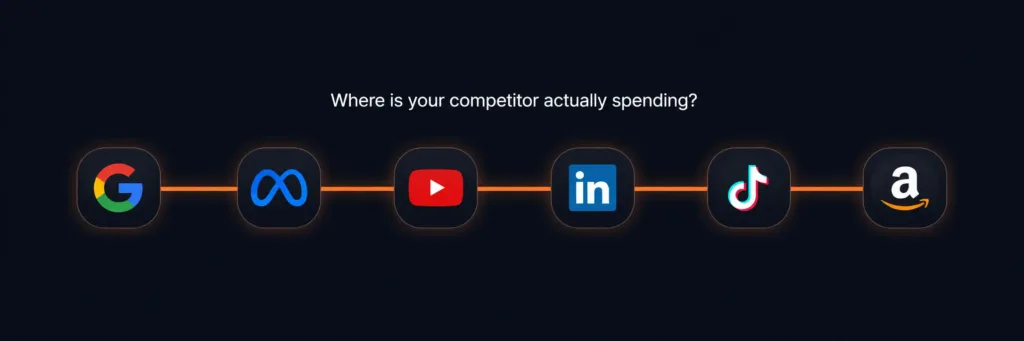
For each competitor, mark active vs inactive across Google Search, Google Shopping, Meta, YouTube, LinkedIn, Bing, Display, TikTok, Amazon, and Twitter/X. AdSpyder’s domain view populates this without you checking each one manually.
The gaps are often more valuable than what they’re doing. If you’re in B2B SaaS and your three main competitors are all absent on LinkedIn, that’s either a dead channel or an open door — and it’s worth knowing which before you budget there.
For context on where competitor-ad intelligence searches concentrate: across 88,035 searches run by AdSpyder users, Google accounts for 50% of all searches, Facebook 22%, and YouTube 15%. Those three platforms account for 87% of where advertisers look for competitive intelligence — a reasonable guide to where most paid activity lives. (AdSpyder platform data, May 2026)
Platform priority note
Steps 3–6 cover Google, Meta, LinkedIn, and YouTube — the four platforms that matter most for the majority of B2B and B2C audits. If your competitors are active on Amazon, TikTok, or Bing, apply the same framework using Amazon Ad Library, TikTok Ad Library, and Bing Ads Spy.
Step 3: Audit Google Search and Shopping Ads
Extract keyword targets, headline patterns, and offer structure
Use AdSpyder’s Google Ads Spy to search by competitor domain. Pull their active headlines, note recurring phrases, and identify which keywords trigger their ads. For Shopping ads, check product feed structure, pricing tier, and image strategy using Shopping Ads Spy.
For Google Search, look for four things:
- Keyword coverage: Which terms are they bidding on that you aren’t? These are traffic gaps you can close.
- Headline angle: Are they leading with price, feature, outcome, or brand? Most brands have one dominant angle — knowing theirs tells you where the market conversation is anchored.
- CTA language: “Get a free quote” vs “Start free trial” vs “Book a demo” signals where they believe customers are in the funnel.
- Ad extensions: Sitelinks and callouts reveal secondary messages — product lines, trust signals, USPs they couldn’t fit in the headline.
For Google Shopping, the creative differentiator is almost entirely image quality and price point. In AdSpyder’s archive of 94M+ Google Shopping ads, 96.5% carry a product image and only 7.4% show a discount signal. If your category doesn’t typically display strike-through pricing, that’s a potential differentiator worth testing. (AdSpyder platform data, May 2026)
What to record from your Google audit
Top 5 keywords they appear on → their primary headline formula → their CTA type → whether they use brand terms defensively → Shopping price positioning vs yours.
Step 4: Audit Meta (Facebook & Instagram) Ads
Identify creative volume, format mix, and message testing cadence
Use Facebook Ads Spy and Instagram Ads Spy to search by competitor page. The historical archive (2018–2026) and the real-time feed give you both long-term strategy and what’s running right now.
Meta is where you see a competitor’s creative testing operation most clearly. A brand running 50+ ad variants isn’t wasting money — it’s running a real testing programme. A brand running 3 ads for 6 months probably isn’t testing anything.
One data point that challenges a common assumption: across AdSpyder’s Meta historical archive of 44M+ ads, 88% are static images and only 12% are video. The “video-first Meta strategy” narrative doesn’t match what most advertisers actually run. Your swipe file and variant testing should over-index on image creative, with a separate video section for awareness campaigns. (AdSpyder platform data, May 2026)
What to pull from your Meta audit:
- Active ad count: A competitor with 200+ active ads has a mature creative operation. One with 5 active ads is either very focused or starved of budget.
- Format ratio: Image vs video vs carousel. Carousel ads typically signal product catalogues or multi-feature messaging.
- First-frame hook: What’s the first thing the viewer sees? Pain-point, offer, social proof, or product?
- Run length: In AdSpyder’s Meta real-time data, the median ad runs about 4 days — most creatives get killed in the first week. An ad that’s been running 30+ days is a proven winner or a neglected campaign. Context matters.
- CTA button type: “Learn More” = brand awareness. “Shop Now” = conversion. “Sign Up” = lead gen. This tells you what outcome they’re optimising for.
A note on Meta ad run length
AdSpyder tracks first-seen and last-seen dates for each ad. “Last-seen” is the last date the ad was observed — not when it stopped running. An ad still active today has last-seen = today, so observed duration is a floor, not the full lifetime. Use duration as a relative comparison across competitors, not an absolute number.
Step 5: Audit LinkedIn Ads
Assess B2B audience targeting signals and offer type
Use AdSpyder’s LinkedIn Ad Library to pull competitor ads. LinkedIn is structurally different from every other platform in how ads behave — factor this into your interpretation.
LinkedIn ads run much longer than ads on other platforms. In AdSpyder’s LinkedIn archive, the median ad runs 43 days — vs 4 days on Meta and near-zero on Google Search. This isn’t a coincidence. LinkedIn’s buying cycle is longer, audience targeting is more precise, and creative fatigue is slower in a professional context. (AdSpyder platform data, May 2026)
What this means for your audit: a competitor’s LinkedIn ads represent deliberate, considered messaging — not a rapid test-and-kill operation. The headlines they’re using on LinkedIn are the messages they believe resonate with decision-makers over time.
Focus your LinkedIn audit on:
- Offer type: Demo, whitepaper, free trial, event, report. This tells you where they’re pulling people into their funnel.
- Audience signals in the copy: Are they addressing job titles (“for CFOs”), industries (“in financial services”), or pain points (“reduce procurement cycle time”)? Their targeting is visible in the language.
- Ad format: Single image vs document ad vs video. Document ads are a strong signal they’re in lead-gen mode with a content offer.
Step 6: Audit YouTube Ads
Identify video ad hooks, format choices, and longevity signals
Use AdSpyder’s YouTube Ads Spy to see competitor video ads. The archive covers 2.4M+ YouTube ads — especially useful for visually driven or awareness-heavy categories.
YouTube is where 15% of competitor-ad research happens on AdSpyder — the third-most audited platform after Google (50%) and Facebook (22%). The median YouTube ad runs about 5 days, but 22% survive past 30 days and 7.8% past 90 days. A competitor with a 90-day-old YouTube creative has almost certainly found something that works. (AdSpyder platform data, May 2026)
From YouTube, extract:
- First 5 seconds: Skippable ads live or die here. What hook are they opening with?
- Ad length pattern: 15-second bumpers vs 30-second skippable vs longer non-skippable. Short = awareness/retargeting. Long = consideration-stage storytelling.
- Longevity signals: Use AdSpyder’s first-seen/last-seen data to find which YouTube creative has run longest — that’s their proven video format to study.
Step 7: Analyse Their Landing Pages
Follow the click — the ad is only half the picture
Use AdSpyder’s Landing Page Analysis to see where competitor ads send traffic. Most audits stop at the creative — the landing page is where conversion actually happens.
AdSpyder has captured landing page data for 429 distinct competitor domains across 3,953 domain overview queries. The typical domain has 1 landing page URL captured — but active advertisers run many more. The 90th-percentile domain has 4 distinct post-click URLs, meaning serious advertisers send traffic to targeted landing pages per campaign, not everyone to the homepage. (AdSpyder platform data, May 2026)
Four things to check on a competitor’s landing page:
- Headline match: Does the landing page headline match the ad headline? Weak message match is a conversion gap you can exploit.
- Offer structure: Form, free trial, direct purchase, or phone number — this tells you how much friction they’re putting between click and conversion.
- Social proof: Logos, testimonials, case study snippets. What proof points are they leading with?
- Page focus: Single-purpose page vs homepage? A competitor sending ad traffic to their homepage is leaving conversion rate on the table.
Good signal to watch
A competitor running 10+ distinct landing page variants is operating a serious CRO programme. Their pages will tell you which offers and proof structures they’ve validated over time.
Step 8: Turn Findings into Action
Organise findings into three buckets
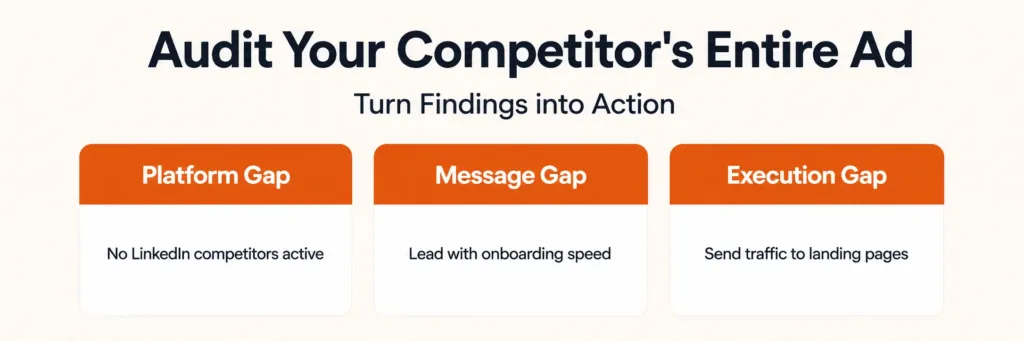
Platform gaps, message gaps, and execution gaps. Each becomes a different type of action item. An audit that doesn’t end in a prioritised list is a research exercise, not a competitive advantage.
| Gap Type | What It Looks Like | Action |
|---|---|---|
| Platform gap | No competitor on LinkedIn; all three are heavy on Google Search | Pilot LinkedIn as an uncrowded channel; monitor Google share-of-voice more closely |
| Message gap | All competitors lead with price; nobody talks about onboarding speed | Test “live in 24 hours” as a headline angle — differentiated from the category |
| Execution gap | Competitors send all ad traffic to homepage; you’re doing the same | Build dedicated landing pages per campaign; A/B test vs homepage |
Set up ongoing tracking, not just a one-time audit. In AdSpyder, you can add competitor domains to a dashboard project and watch their ad activity change over time. Of the 8,663 active projects on AdSpyder, 1,104 are actively tracking competitor domains — those teams turned a one-time audit into a live intelligence feed. (AdSpyder platform data, May 2026)
Run your first competitor ad audit in under 10 minutes
Enter any competitor domain into AdSpyder and get a cross-platform ad intelligence report — Google, Meta, LinkedIn, YouTube, and more. 400M+ ads indexed. Free to start.
Common Competitor Ad Audit Mistakes to Avoid
Mistake 1: Auditing only one platform
A competitor can look weak on Meta and dominant on Google Search. Platform-by-platform audits give you fragmented intelligence. The insight comes from seeing the full picture and comparing platform behaviour side by side.
Mistake 2: Treating every visible ad as a winner
Not every ad you find is a successful ad. Look for repeated messages across platforms, multi-channel consistency, and ads that keep appearing over time. A single-run ad may be a test that flopped. A 45-day-old LinkedIn ad is almost certainly a proven performer.
Mistake 3: Ignoring landing pages
An ad may look simple because the landing page does the heavy conversion work. Always check the full ad-to-page journey. Some of the most useful competitive intelligence is in the landing page, not the creative.
Mistake 4: Running the audit once and filing it away
Competitor ad strategy changes. A brand can launch on a new platform, shift messaging entirely, or double creative volume in a quarter. A one-time audit becomes stale fast. Set up a project in AdSpyder to monitor changes continuously instead of repeating the full audit from scratch.
Full Competitor Ad Audit Checklist
Use this before you close the audit and declare it done.
Domain Overview
✓
Ran domain analysis for each competitor in AdSpyder
✓
Noted which platforms show active ad volume
✓
Checked ad volume trend over time (growing / flat / declining)
Google Search & Shopping
✓
Pulled top keywords competitor bids on
✓
Recorded primary headline formula and offer structure
✓
Checked if they’re bidding on brand terms (their own and yours)
✓
Checked Shopping price tier, image type, and discount signals
Meta (Facebook & Instagram)
✓
Recorded total active ad count
✓
Noted image vs video ratio (category baseline: 88% image, 12% video)
✓
Identified the 2–3 core message angles in their creatives
✓
Found their longest-running ad (likely their best performer)
✓
Confirmed whether competitor is active on LinkedIn at all
✓
Identified offer type (demo, content, event, free trial)
✓
Noted audience signals in copy (job titles, industries, pain points)
YouTube
✓
Identified longest-running YouTube creative
✓
Noted hook type in the first 5 seconds and ad length pattern
Landing Pages
✓
Checked whether they send traffic to homepage or dedicated pages
✓
Recorded headline-to-ad message match quality and primary social proof used
Action Output
✓
Listed platform gaps, message gaps, and execution gaps
✓
Set up ongoing competitor tracking in AdSpyder dashboard
Frequently Asked Questions
Your competitors’ entire ad strategy is in the open. Go read it.
AdSpyder indexes 400M+ ads across 10 platforms. Enter a competitor domain and get a full cross-platform intelligence report in minutes. Free to start, no credit card required.
23,000+ users · 10 platforms · 400M+ ads indexed