ChatGPT · Gemini · Perplexity · CRM
Quick Answer
- Identify visible AI referrals using GA4 session source and medium.
- Group ChatGPT, Gemini and Perplexity traffic into one AI-assistant reporting channel.
- Use UTMs only on AI links and placements you directly control.
- Preserve original source data in the CRM before later visits overwrite it.
- Measure leads through the complete lead-to-revenue KPI chain, not sessions alone.
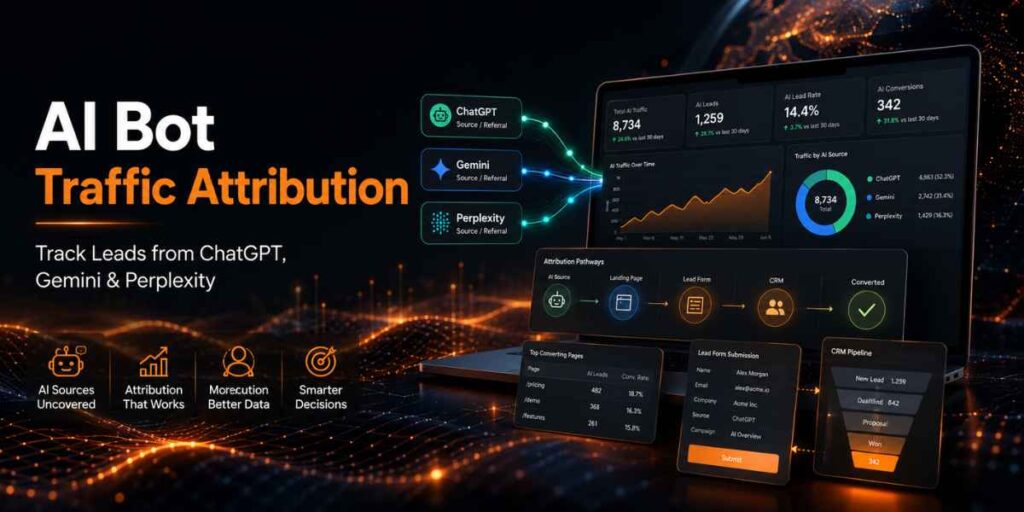
AI traffic attribution connects visits and leads from AI assistants with the pages, sessions and later touchpoints that contributed to conversion. Referral data is useful, but GA4, form tracking and CRM source fields must work together because some AI visits arrive without a visible referrer.
The Four-Layer AI Attribution Model
LAYER 1
Referral
Which AI domain sent the visible website session?
LAYER 2
Behaviour
Which page, CTA and content path did the visitor use?
LAYER 3
Lead
Was the submission valid, qualified and sales accepted?
LAYER 4
Revenue
Did the lead create an opportunity, customer or revenue?
How AI Traffic Appears in Analytics
| AI Experience | Source to Check | Important Limitation |
|---|---|---|
| ChatGPT | chatgpt.com or chat.openai.com | Copied links, apps or privacy controls may remove the referrer. |
| Gemini app | gemini.google.com | Google AI Overview and AI Mode clicks may appear under Organic Search instead. |
| Perplexity | perplexity.ai | A session proves a click, not which prompt or citation position caused it. |
| Unidentified AI visit | Direct / none | Do not automatically label all direct traffic as AI traffic. |
Practical rule: Report confirmed AI referrals separately from estimated unattributed traffic. Never inflate AI performance by assigning unexplained direct sessions to ChatGPT or another assistant.
Step-by-Step AI Traffic Attribution Framework
1. Verify the conversion events
Track meaningful actions such as form submission, signup, demo request, checkout and qualified-lead creation. Mark the important website actions as GA4 key events.
2. Create an AI traffic exploration
Build a GA4 exploration using Session source, Session medium, Landing page, Key events and Total users. Filter for known AI-assistant domains.
3. Group the sources consistently
Create a custom channel group named “AI Assistants,” or apply a consistent reporting regex. Keep ChatGPT, Gemini and Perplexity available as individual sources beneath the combined channel.
chatgpt\.com|chat\.openai\.com|gemini\.google\.com|perplexity\.ai4. Use UTMs on controlled AI links
UTMs are appropriate when your team controls the destination link—for example, an owned chatbot, custom assistant, sponsored placement, partner answer or manually shared AI campaign.
?utm_source=chatgpt&utm_medium=ai-assistant&utm_campaign=ai_discoveryGA4’s current default channel rules recognize the medium ai-assistant. Do not expect third-party citations to preserve campaign parameters you do not control.
5. Preserve first-touch and latest-touch CRM fields
Store original source, original landing page, original campaign, latest source and lead-creation source as separate fields. Test that redirects, forms and calendar tools preserve them using the lead generation tracking audit.
6. Review assisted paths
Use GA4 Attribution Paths to find journeys such as AI referral → organic search → direct return → demo request. Last-click reporting alone may hide AI’s earlier contribution.
AI Bot Traffic Attribution Examples
Direct Conversion
A user clicks a Perplexity citation, visits a comparison page and requests a demo in the same session. Credit the visible referral and retain the landing page.
Assisted Conversion
A ChatGPT visitor reads a guide, returns through branded search and converts later. Record ChatGPT as an earlier touchpoint rather than only reporting Google.
Unconfirmed AI Influence
A lead says “I found you through Gemini,” but GA4 shows direct traffic. Store self-reported discovery separately without overwriting the technical source.
When comparing these journeys with paid acquisition, use AdSpyder’s competitor lead-generation workflow to understand how other brands capture the same buyer after discovery.
Metrics That Matter
| Metric | What It Shows |
|---|---|
| AI referral sessions | Confirmed visits from identified AI sources |
| AI landing-page engagement | Which cited pages attract useful visitors |
| Lead conversion rate | Leads divided by AI referral sessions |
| Qualified-lead rate | Commercial usefulness of AI-sourced leads |
| Assisted key events | Conversions where AI appeared earlier in the path |
| Pipeline and revenue | Business value associated with AI-discovered prospects |
Report referral visibility, attribution limitations and CRM outcomes clearly. The recent lead generation reporting framework explains how to separate submitted leads, qualified leads, pipeline and completed revenue.
Common AI Bot Traffic Attribution Mistakes
- Calling every direct session AI traffic.
- Using only last-click source when the buying journey is longer.
- Overwriting original-source fields after a returning visit.
- Adding UTMs inconsistently or using different names for the same platform.
- Reporting traffic and raw leads without qualified-lead outcomes.
- Assuming a cited page caused a lead without session or CRM evidence.
- Mixing Gemini app referrals with Google AI Overview organic traffic.
How AdSpyder Improves the Workflow
AdSpyder does not replace GA4 or CRM attribution. It adds competitive context after your internal data identifies which AI-sourced pages, offers or funnel stages need improvement.
Compare competitor platforms, campaigns, keyword themes and funnel activity.
Review visible advertising activity around domains competing for the same buyer.
Study competitor proof, CTAs and page structures for high-intent visitors.
Start with AdSpyder Ad Analytics, then use URL Domain Analysis and Landing Page Analysis to create an original improvement hypothesis.
Connect AI attribution with competitive funnel intelligence
Find where competitors advertise, what they promise and how their landing pages convert buyer interest.
AI Bot Traffic Attribution Checklist
☐ Key lead events fire correctly.
☐ AI domains are grouped consistently.
☐ Controlled AI links use standard UTMs.
☐ Original and latest sources are separate.
☐ Landing-page URLs reach the CRM.
☐ Assisted paths are reviewed.
☐ Self-reported discovery is stored separately.
☐ Qualified leads and revenue are reported.
Frequently Asked Questions
It is the process of connecting AI-assistant referrals with website behaviour, leads, assisted touchpoints and revenue outcomes.
Yes, when the referral source is preserved. Look for ChatGPT domains in Session source and referral traffic reports.
Yes. A separate AI Assistants channel makes reporting clearer while preserving each platform as an individual source.
No. UTMs work reliably only when you control the link being placed or shared.
Apps, copied URLs, redirects, privacy controls and missing referral information can cause GA4 to classify the visit as direct.
AdSpyder provides competitor-ad and landing-page intelligence. Use GA4 and CRM data for your own AI referral and revenue attribution.